
Most social video is watched on mute, so captions aren’t optional — and a good caption app turns that from a chore into a 60-second job. The best ones auto-transcribe your video, style the text, and export it ready to post. This guide compares the 8 best caption generator apps in 2026 for video: what each is best for, honest pricing, and the free picks.
What makes a good caption app?
A great caption app does three things well: accurate auto-captions (AI transcription you barely have to fix), styling (animated templates, fonts and colours that match your brand), and easy export (captions burned into the video or as an SRT file). The best also let you do the rest of your edit — trims, music, b-roll — in the same place, so you’re not jumping between apps.
⚡ TL;DR — the quick picks
- Best all-round (captions + editor): Typito
- Best free: CapCut · Best mobile: Captions AI
- Best animated captions: Submagic · Simple subtitles: Zubtitle
- All-round AI editing: VEED · Transcript editing: Descript
The 8 best caption generator apps in 2026
| App | Typito | CapCut | VEED | Captions AI | Submagic | Zubtitle |
|---|---|---|---|---|---|---|
| AI auto-captions | ✓ | ✓ | ✓ | ✓ | ✓ | ✓ |
| Animated templates | ✓ | ✓ | ✓ | ✓ | ✓ | ✗ |
| Full video editor | ✓ | ✓ | ✓ | ✗ | ✗ | ✗ |
| SRT export | ✓ | ✓ | ✓ | ✓ | ✓ | ✓ |
| Free plan | ✓ | ✓ | ✓ | ✓ | ✗ | ✓ |
| Paid from (monthly) | $18 | $10 | $24 | $10 | $16 | $19 |
| Best for | Captions + design | Free | AI editing | Mobile | Animated | Simple subs |
Prices verified Jul 2026 — check each app for the latest.
1. Typito — best all-round caption app
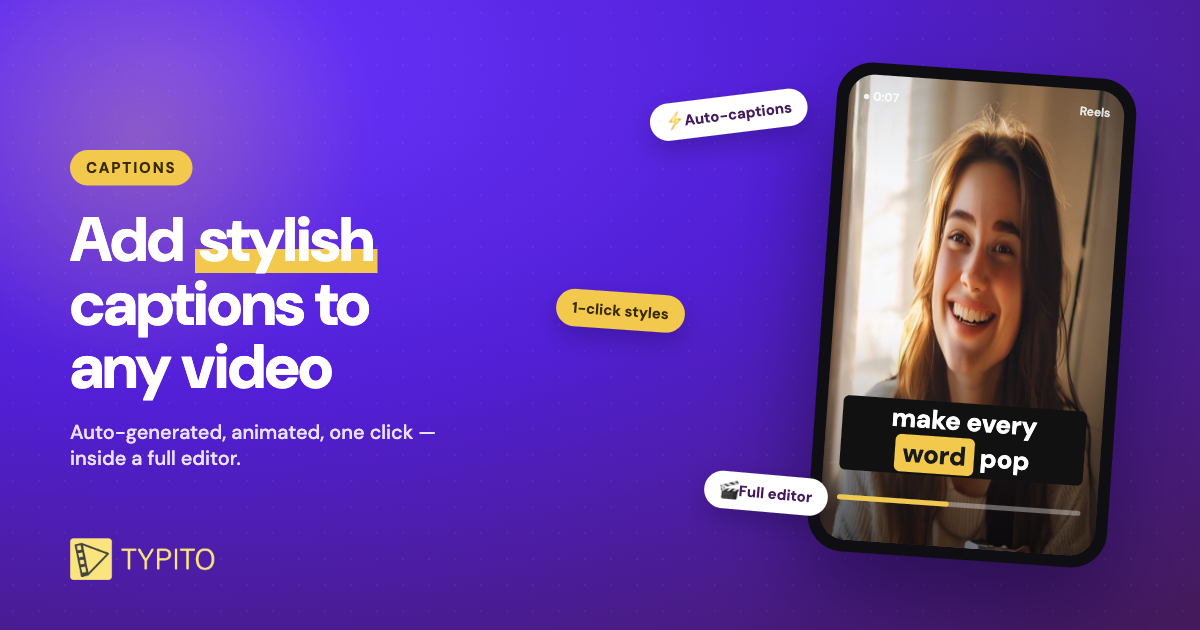
Typito is a browser-based video editor with auto-captions built in. It transcribes your video in seconds, styles the captions with animated templates, and — because it’s a full editor — lets you add music, b-roll, a brand kit and export in any social size, all in one place. It’s the pick if you want stylish captions and somewhere to finish the whole video.
Pros
- Auto-captions plus animated, on-brand templates
- A full editor, not just a captioning tool
- Free plan; paid from $18/mo
Cons
- More than a pure captions app if you only want subtitles
- Web-based, so you’ll need an internet connection
Stylish captions in a tool that also finishes the video — Typito is the best all-round caption app for creators.
2. CapCut — best free caption app
CapCut’s free auto-captions, trendy text animations and editing tools cover most of what paid apps charge for. The trade-off is more manual tweaking and a mobile-first interface, but for zero cost it’s hard to beat. Paid Pro from around $10/month.
3. VEED — best for all-round AI editing
VEED auto-subtitles video in 100+ languages and pairs captions with AI avatars, translation and a browser editor. A strong pick if captions are one part of a bigger editing workflow. Paid from around $24/month. See our VEED alternatives breakdown →
4. Captions AI — best mobile app
A phone-first app with polished animated captions plus AI extras like voice cloning and eye-contact correction. Ideal if you shoot and edit entirely on mobile. Free tier; paid from around $10/month.
5. Submagic — best for animated captions
Submagic popularised word-by-word animated captions and does them well, with viral templates and emoji. It’s captions-only (no full editor) and has no real free plan, but the caption styling is top-tier. Paid from around $16/month. Compare the best captioning tools →
6. Zubtitle — best for simple subtitles
Zubtitle keeps it simple: upload, auto-transcribe, tweak, and export with subtitles and basic resizing. No animated templates, but a clean, fast option for straightforward subtitles. Free trial; paid from around $19/month.
7. Descript — best for transcript editing
Descript lets you edit video by editing the transcript and adds captions along the way — great for talking-head and podcast content. Caption styling is plainer than the others. Free plan; paid from around $16/month.
8. Kapwing — best browser all-in-one
Kapwing is a browser editor with auto-subtitles, templates and collaboration features, handy for teams working on social clips. Free plan with a watermark; paid from around $16/month.
What is the best free caption app?
CapCut is the most capable fully-free caption app. Typito, VEED, Captions AI, Zubtitle and Descript all have free plans with limits — usually enough to caption a few videos and test the workflow. For stylish templates and a full editor on the free tier, try Typito’s free auto-captions.
Frequently asked questions
What is the best free caption generator app?
CapCut is the best fully-free option for auto-captions and editing. Typito, VEED, Captions AI and Zubtitle also have free plans — Typito is the pick if you want animated templates and a full editor without paying.
What app automatically adds captions to a video?
Typito, CapCut, VEED, Captions AI and Submagic all auto-generate captions from your video’s audio using AI, then let you style and export them burned in or as an SRT file — usually in under a minute.
What is the best caption app for Instagram and TikTok?
For vertical Reels and TikToks, Typito and CapCut are strongest — both add animated captions and export in 9:16 with the text burned in, so captions stay visible on mute.
Do caption apps work without the internet?
Mobile apps like CapCut and Captions AI can caption offline once installed, while browser tools like Typito and VEED need a connection. If you edit on the go, a mobile app is the safer pick.