Your trivia question isn't the problem. Your format is.
The text asks people to decide. Image quizzes are visually engaging and quick to consume, making them ideal for social media. They spark curiosity, encourage interaction, and are easier to share, increasing reach and audience participation.
That's the whole framework: Image stops. Question engages. Reveal spreads.
This guide covers why the format works, what separates a good image question from a bad one, 20+ questions you can post today, and how to build any of them into a short-form video without touching an editor.
At a Glance
- Why Image Trivia Works
- What Makes a Good Image Question
- How to Create Image Trivia
- 20 Image Trivia Questions That Drive Comments, Shares, and Replays
- When to Use Which Format
- Common Mistakes That Kill Engagement
Why Image Trivia Works
Text quizzes ask people to read, decide, and scroll. The whole interaction takes under a second.
No hook, no tension, no reason to stop.
An image breaks that sequence. The visual hits before the brain switches into reading mode, and the right image creates a question the viewer didn't know they had: What is that?
- Visuals fire before language does. A macro crop or unusual angle triggers recognition before reading. That pause is where the comment happens.
- Images lower the reply barrier. Guessing "strawberry" takes three seconds. People who would never write a comment will drop a one-word answer on a visual quiz, and that reply counts the same in the algorithm.
- Reveals drive replays. A zoom-out from a macro shot makes people rewatch to confirm they were right. Replays are one of the strongest engagement signals on Reels and TikTok.
- Reveal facts that get shared. One surprising fact on the reveal frame, "those 200 dots on a strawberry are all seeds," turns a quiz into shareable content. People share the fact, not just the answer.
What Makes a Good Image Question
Most image trivia fails for one of two reasons: the image is too obvious to create tension, or too obscure to attempt. Here's exactly what separates one from the other.
✅Good image trivia.
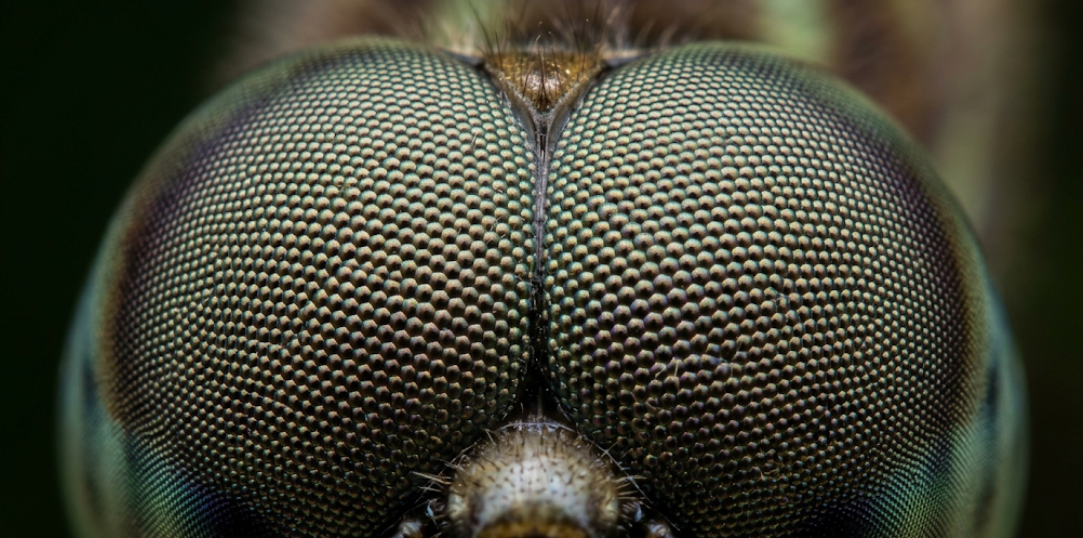
What makes it work: The image is completely unrecognizable at this scale. The reveal, a full dragonfly shot, is instantly obvious and satisfying. Everyone's seen a dragonfly. Nobody's seen its eye this close. That gap is where engagement lives.
❌ Bad image trivia
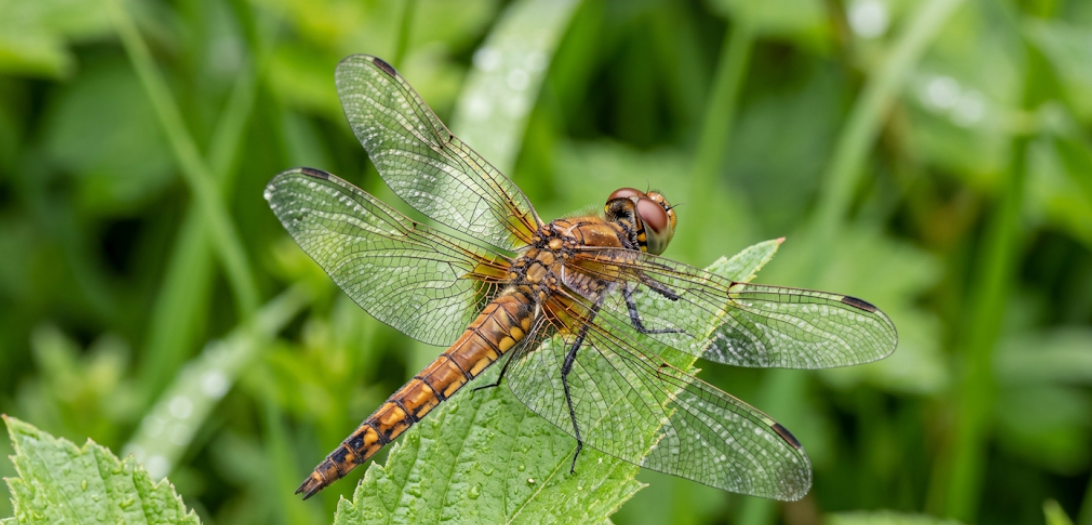
Why it fails: The entire subject is visible in the question image. There's no challenge, no tension, no reason to guess. Showing too much removes the engagement mechanism entirely; viewers scroll past in under a second.
✅Good close-up crop
Why it works: Only the arch curve and color are visible. Instantly recognizable to anyone who knows it, but the crop removes all confirming context. That uncertainty drives guessing.

❌ Crop that's too loose

Why it fails: The full logo plus brand context is visible. Everyone gets it in 0.5 seconds. No pause, no curiosity, no engagement. The image answered the question before it was asked.
How to Create Image Trivia
The structure is simple. Five decisions, in order.
1. Pick your format.
Three formats work consistently:
- Identify the Image (full crop, one guess)
- Match the Images to their respective words
- Close-Up Macro (extreme zoom, harder)
- Before & After (two states, one reveal).
Choose based on your niche and how much thinking time your audience tolerates.
2. Choose your image.
The image does the stopping.
A clean subject against a neutral background, an extreme crop, or an unexpected angle works better than a busy or obvious shot. If the answer is guessable in under two seconds, the image is too easy.
3. Set the timer
Give people enough time to think, not enough time to lose interest.
- 5-8 seconds works for straightforward identities.
- 8-12 seconds for macro close-ups.
- 10-15 seconds for before-and-after comparisons.
4. Plan the reveal
The reveal is not just the answer, it's the payoff.
A zoom-out, a wipe, or a fade back to the full image makes people rewatch. Add one surprising fact on the reveal frame. That's what drives saves and shares, not the answer itself.
5. Write a CTA caption
The caption converts viewers into commenters. Ask a follow-up, invite a debate, or prompt a tag. "Drop your answer below" outperforms no CTA every time.
Lets draft the trivia with Trivia by Typito AI
20 Image Trivia Questions That Drive Comments, Shares, and Replays
🌍 Landmarks & Geography
Best format: Mix of Identify and Close-Up, unusual angles on famous landmarks create just enough doubt to drive guessing without frustrating viewers.
Best for: Broad audiences, travel creators, pub quiz rounds, geography classrooms, LinkedIn, and Instagram feed.
Identify
Q1: What is this place?
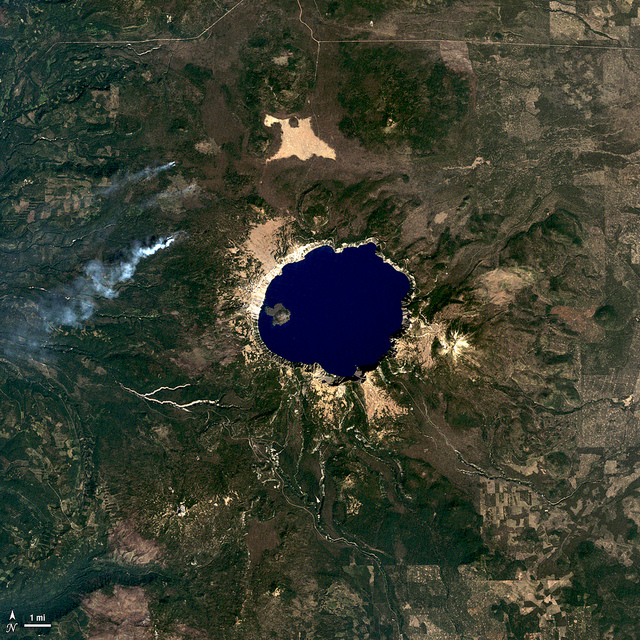
Answer: Crater Lake, Oregon
Why it works: The color is striking enough to stop the scroll on its own. "Deepest lake in the US" gives people something to reply about, even when they don't know the name.
Close-Up
Q2: What ancient site do these worn steps belong to?
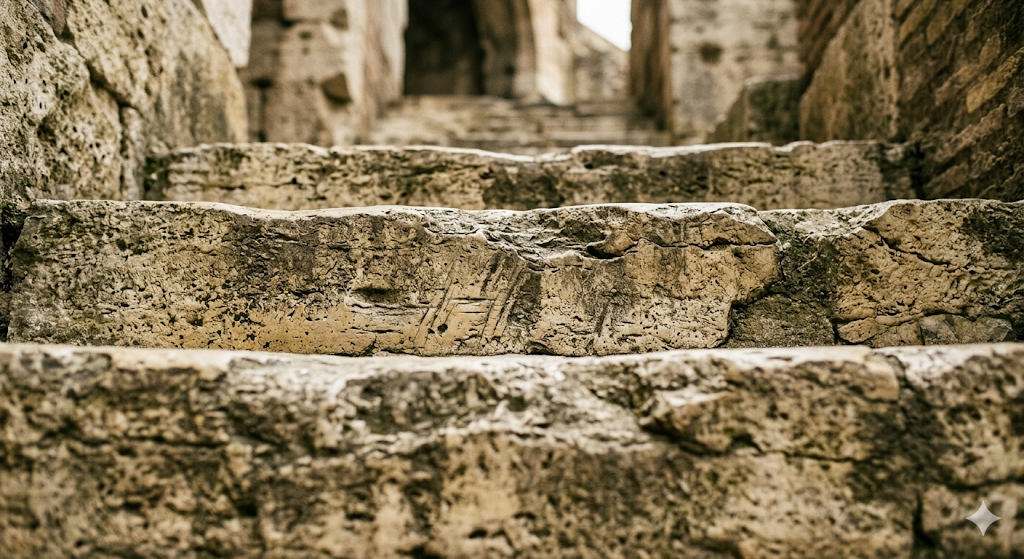
Answer: Roman Colosseum steps
Why it works: The worn groove tells a story before the reveal. Creates the "I should have known" reaction that drives comments from people who almost got it.
Match
Q3: Match each flag to its country.
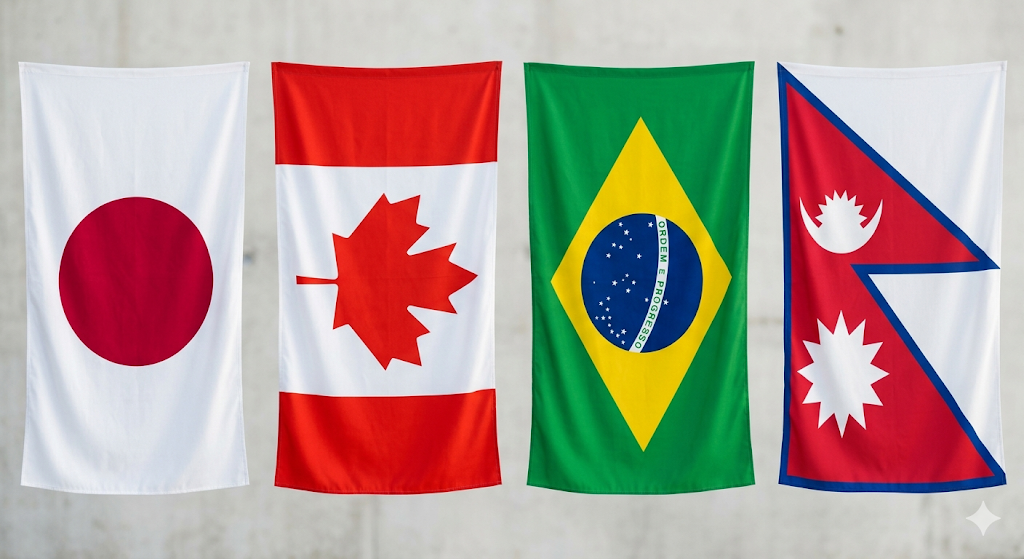
Answer: Japan / Canada / Brazil / Nepal
Why it works: Nepal's flag is the world's only non-rectangular national flag. That single fact drives shares in geography communities.
Before & After
Q4: Same mountain. What happened between these two photos?
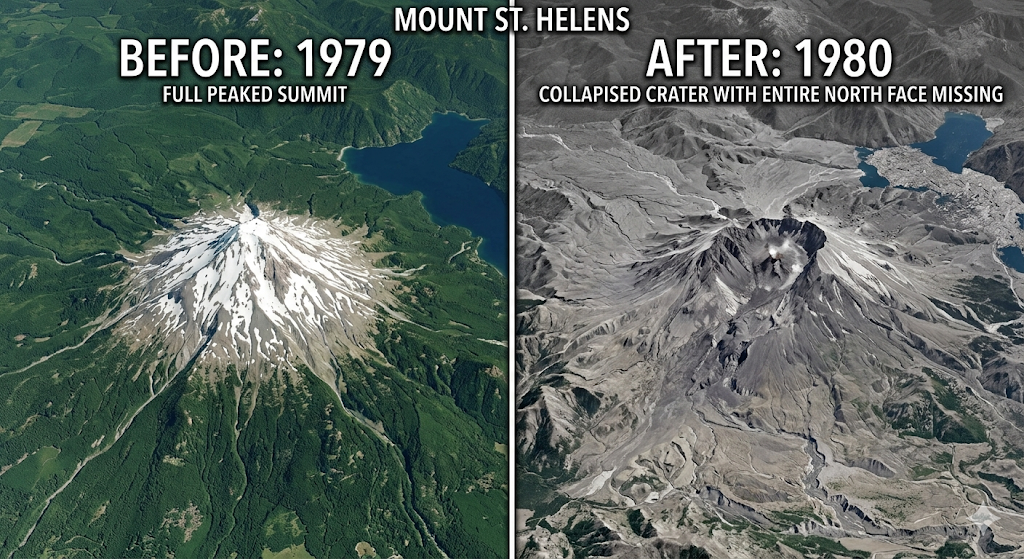
Answer: Mount St. Helens eruption, 1,300 ft of elevation lost in one event
Why it works: The scale of change is genuinely shocking. A mountain visibly getting shorter is the kind of fact people share immediately.
🍽 Food & Ingredients
Best format: Close-Up and Before & After, everyday ingredients are completely unrecognizable at the macro scale or before processing.
Best for: Food creators, recipe channels, lifestyle content, casual audiences who share widely.
Close-Up
Q1: What everyday food is this zoomed in 40×?
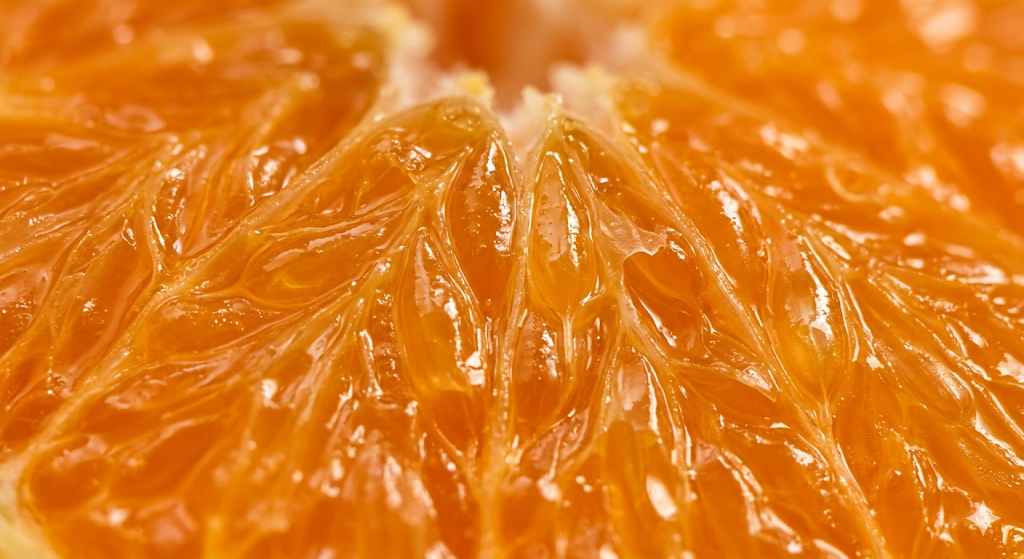
Answer: Orange juicy. fleshy part
Why it works: Reveal fact: "There are 10 segments in the average orange."
Match
Q2: Match each bread type to its name.
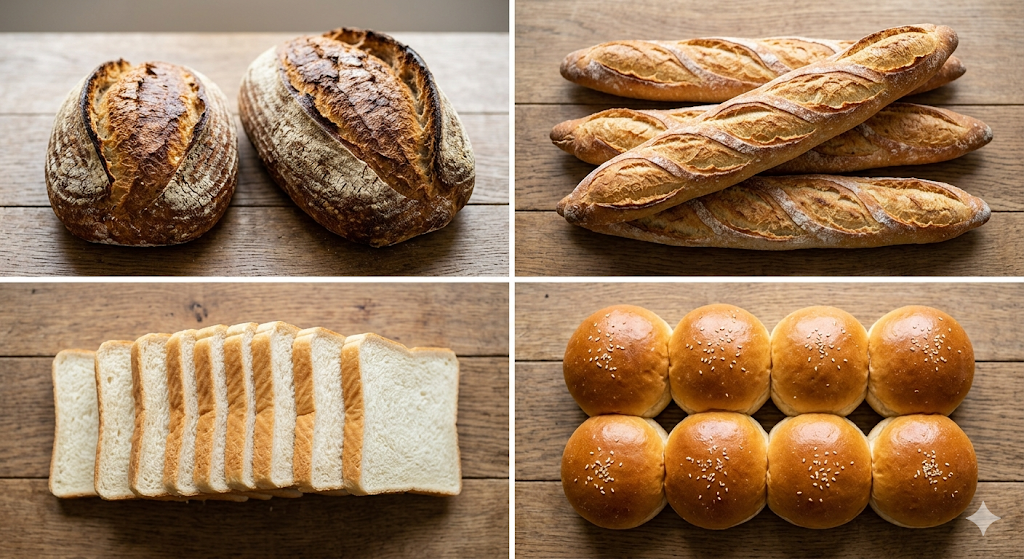
Answer: Rye, Baguette, Slices, bun
Why it works: Everyone knows pasta shapes by sight. Almost nobody knows all four names. Most people get 2–3 and debate the rest, exactly the right difficulty gap.
Before & After
Q3: One ingredient. Two stages. What connects these?
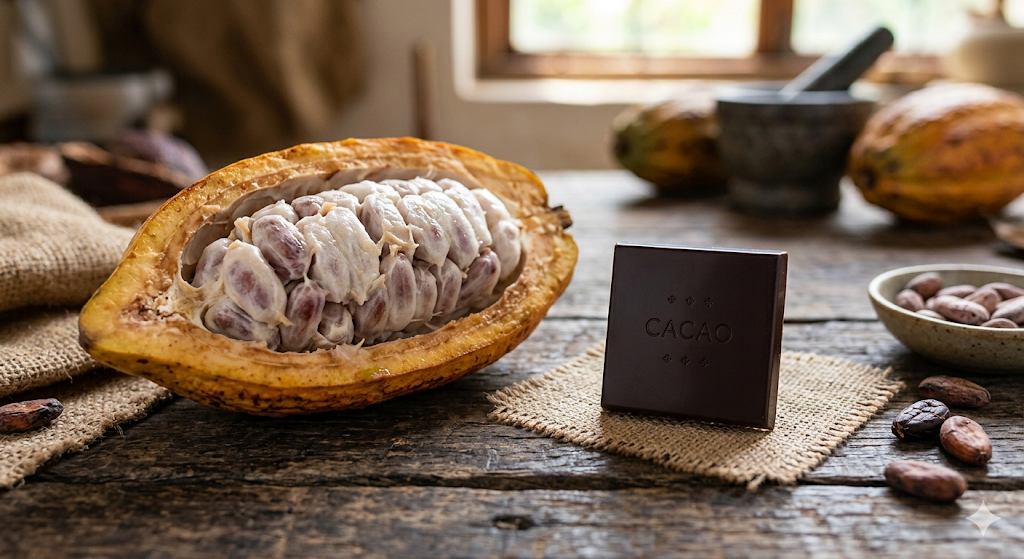
Answer: Cacao pod → chocolate bar
Why it works: Most people have never seen what chocolate looks like before processing. The transformation is genuinely surprising and highly shareable.
Identify
Q4: Name this spice.
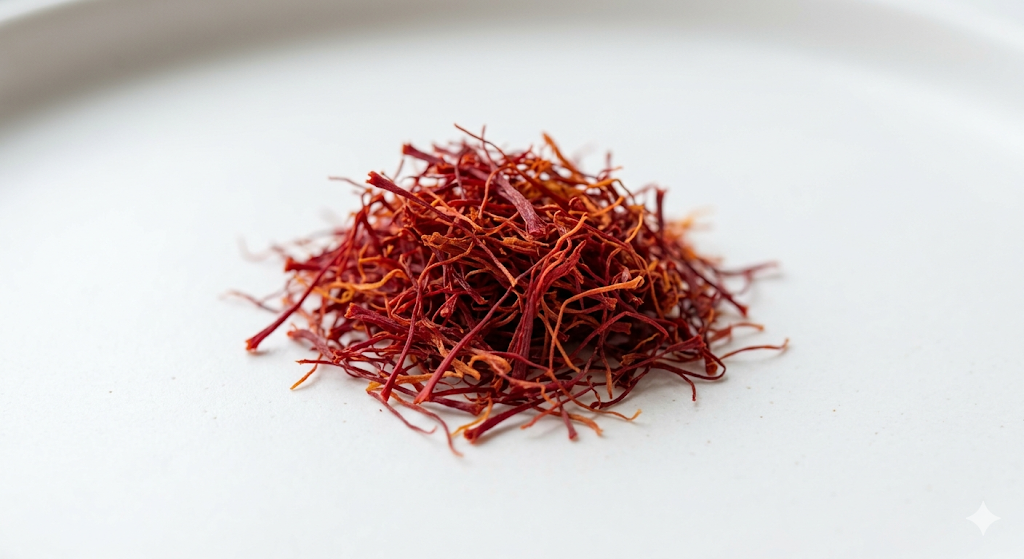
Answer: Saffron, the world's most expensive spice
Why it works: The "world's most expensive" hook doubles the comment potential. People reply to the fact as much as the question.
🏷 Brand Logos & Products
Best format: Close-Up and Before & After, partial logo crops, and brand evolution are the two highest-performing formats on LinkedIn and Instagram.
and Best for: Marketers, LinkedIn audiences, brand communities, millennial nostalgia content, and high comment potential.
Close-Up
Q1: Whose logo is this?
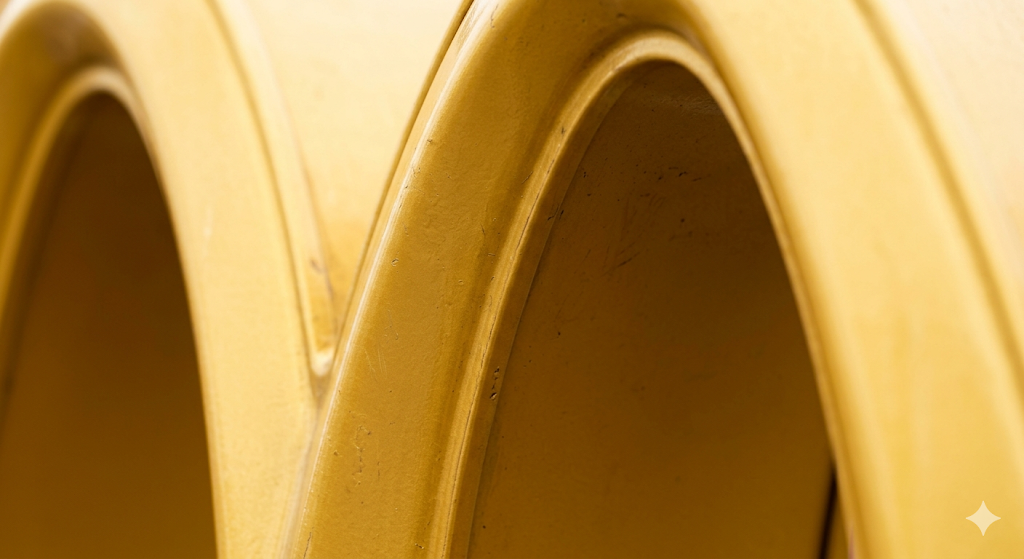
Answer: McDonald's golden arches
Why it works: One of the most recognized shapes in the world, but isolated this tight, it takes a beat. That beat is the engagement window.
Before & After
Q2: Same brand, 99 years apart. Name it.

Answer: Shell plc
Why it works: The contrast creates a genuine "I had no idea" reaction that performs exceptionally well on LinkedIn.
Match
Q3: Match each mark to its brand.
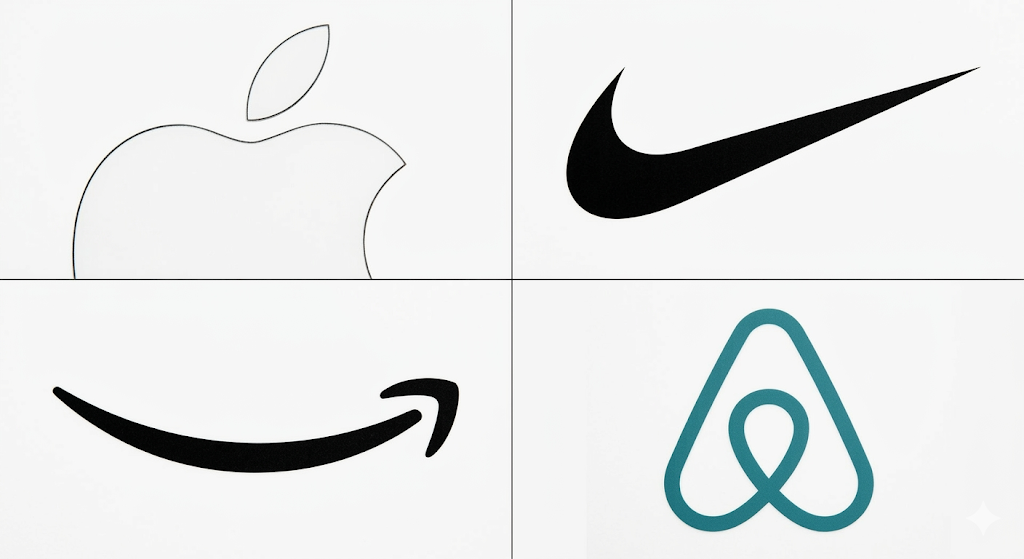
Answer: Apple / Nike / Amazon / Airbnb
Why it works: Everyone thinks they'll get all four. Almost nobody gets all four. The Airbnb bélo is the hardest, creates debate, and drives long comment threads.
Identify
Q4: How much time took between these two images?
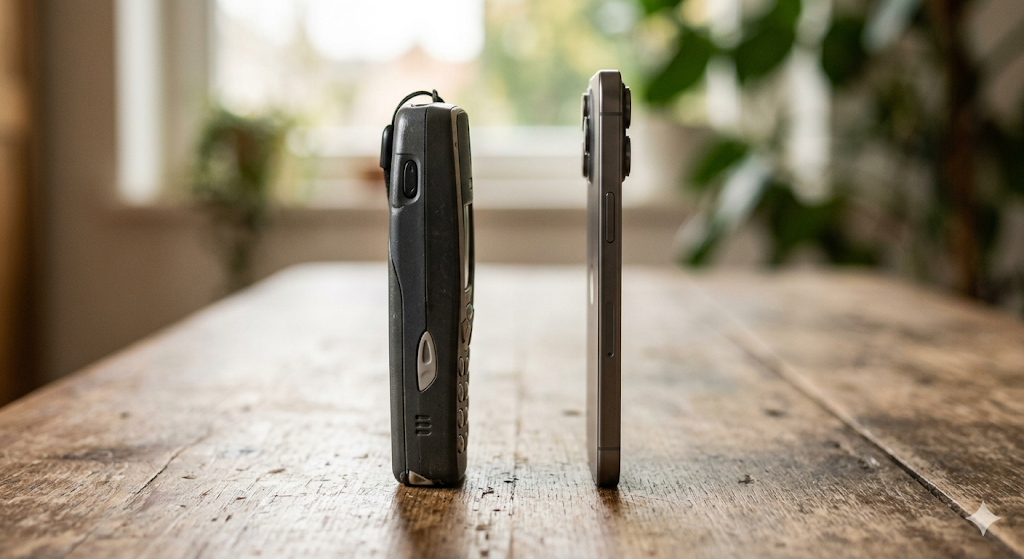
Answer: Mobile phone evolution, 50 years in two images
Why it works: The visual jump is so dramatic that people tag friends who lived through both eras. Strong nostalgia share trigger.
🔬 Science & Nature
Best format: Close-Up familiar organisms at the microscopic or macro scale become completely unrecognizable, creating the widest possible reveal gap.
Best for: Educational creators, classroom content, science communities, "mind-blowing facts" niche.
Close-Up
Q1: What animal does this surface belong to?
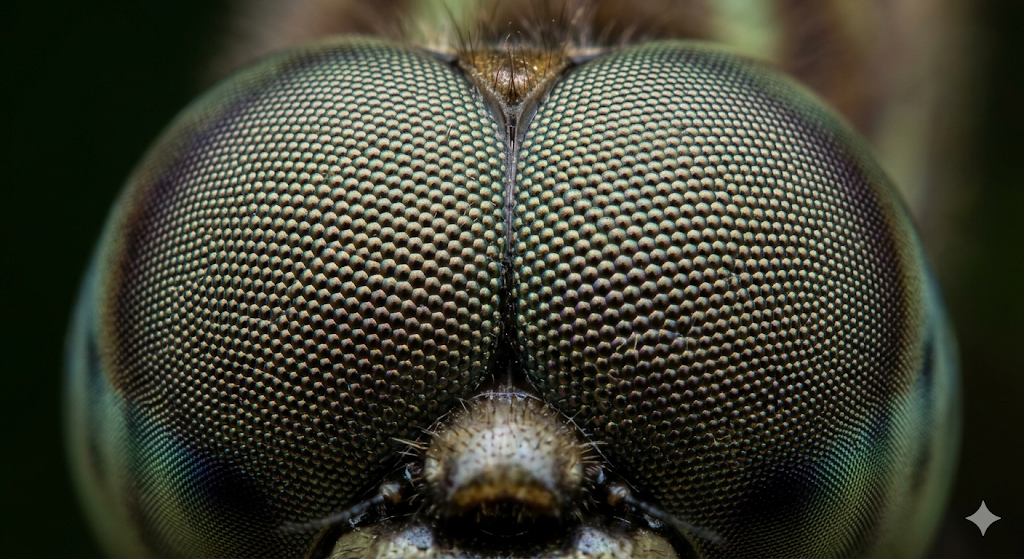
Answer: Dragonfly compound eye
Why it works: Familiar animal, completely unrecognizable at this scale. Reveal fact: "A dragonfly's compound eye covers almost its entire head and can detect motion up to 20 feet away."
Matc
Q2: Match each cross-section to its fruit.
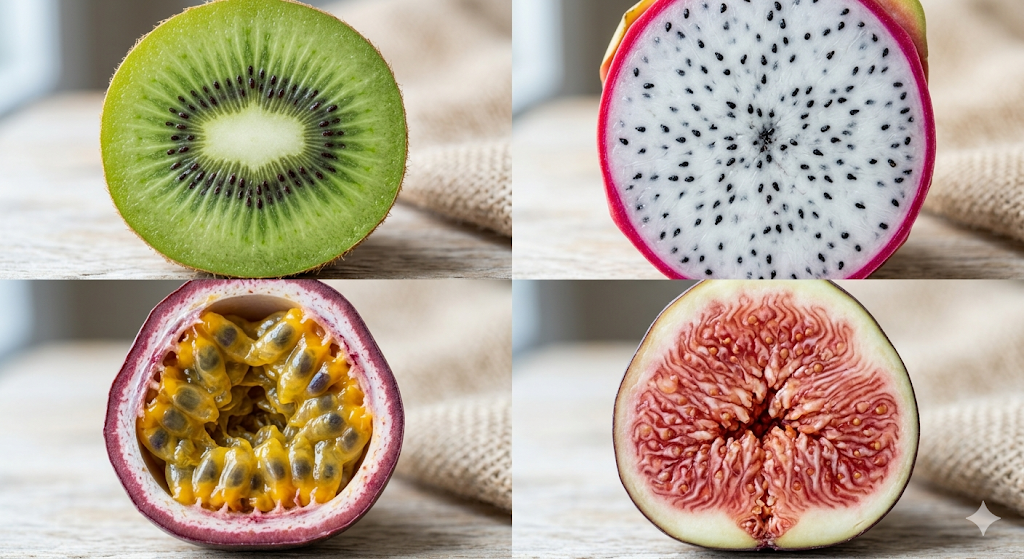
Answer: Kiwi / Dragon fruit / Passionfruit / Fig
Why it works: Dragon fruit is spotted instantly. The fig catches almost everyone; its cross-section looks nothing like the whole fruit. That one hard question drives debate in the comments.
Close-Up
Q3: What is this surface?
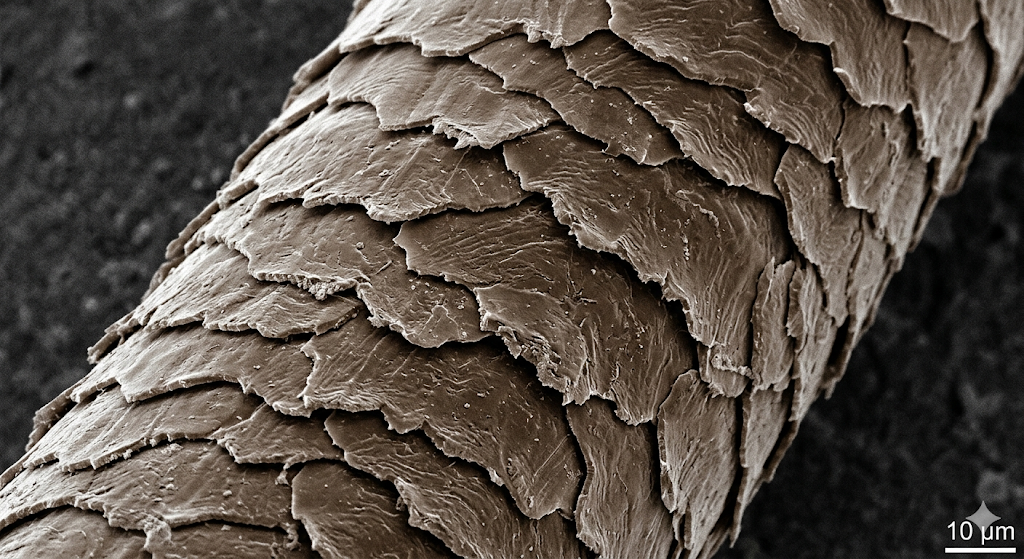
Answer: Human hair cuticle (under electron microscope)
Why it works: The gap between "I think I know this" and the reveal is perfectly calibrated. Reveal fact: "Hair cuticle scales overlap like roof tiles, that's why hair tangles."
Before & After Image:
Q4: Which fruit was this 7000 yrs ago
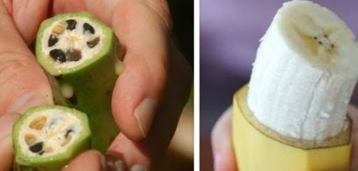
Answer: Banana
Why it works: Environmental "before and after" content has extremely high share rates in science and nature communities. Hopeful transformation is the most-shared visual format in this niche.
🎬 Pop Culture & Entertainment
Best format: Identify and Match, props without characters and album covers without names raise difficulty just enough to reward fans without locking out casual viewers.
Best for: General creators, Reels and Shorts, millennial and Gen Z crossover, high replay potential.
Identify
Q1: What film is this car from?
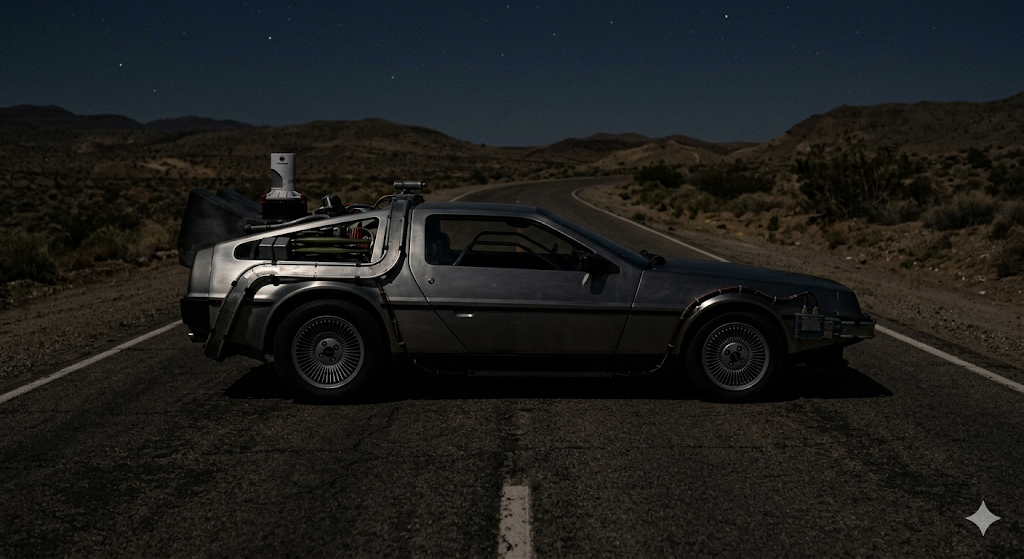
Answer: Back to the Future
Why it works: Props without characters create just enough doubt. Pop culture fans who get it want to prove they did, which drives first-comment engagement.
Match
Q2: Match each album cover to its artist.
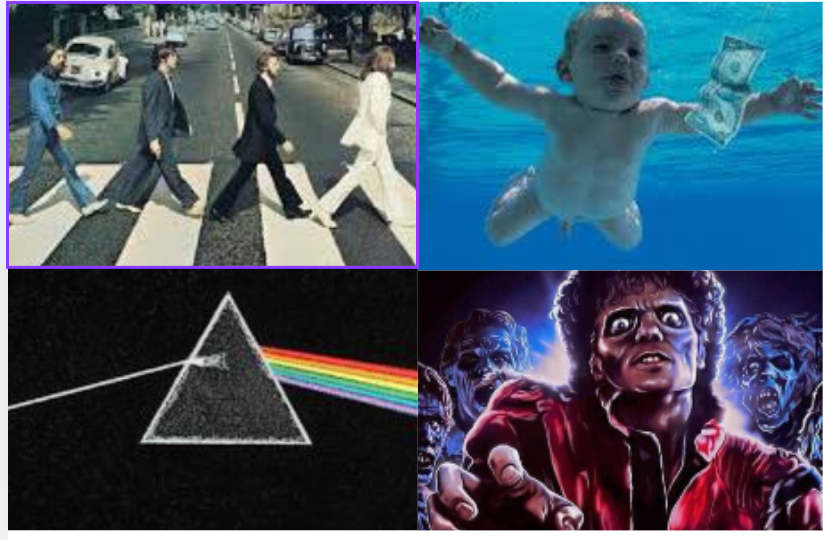
Answer: The Beatles / Nirvana / Pink Floyd / Michael Jackson
Why it works: The most recognized album covers in history, but presented side-by-side with no names, the matching creates real tension. Comment debates run for days.
Close-Up
Q3: Which superhero suit does this texture belong to?
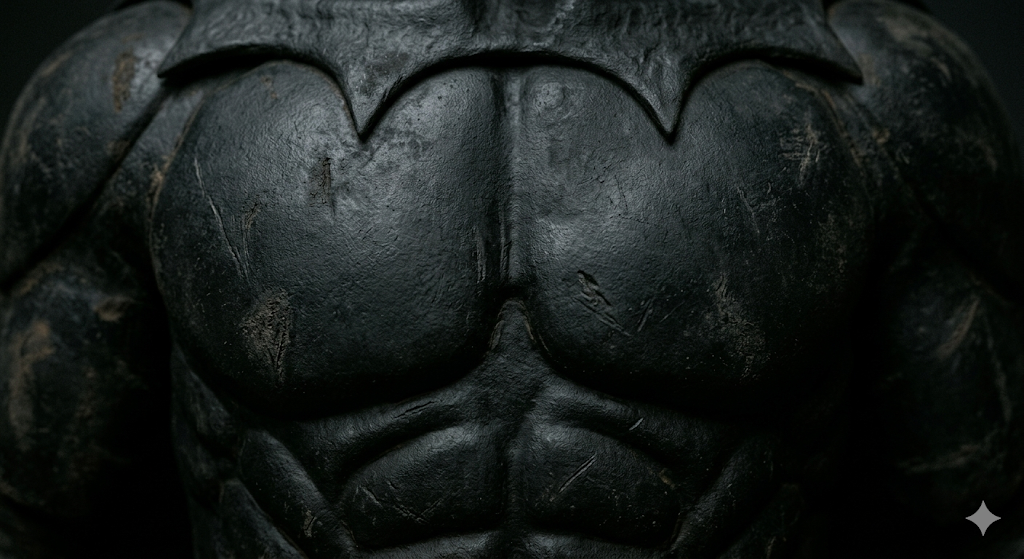
Answer: Batman suit, 1989 Tim Burton version
Why it works: Superhero costume textures are instantly recognizable to fans, but the era is what separates them. Creates DC vs Marvel debate and generation-gap comments.
Before & After
Q4: Guess who, drop your answer before the reveal.
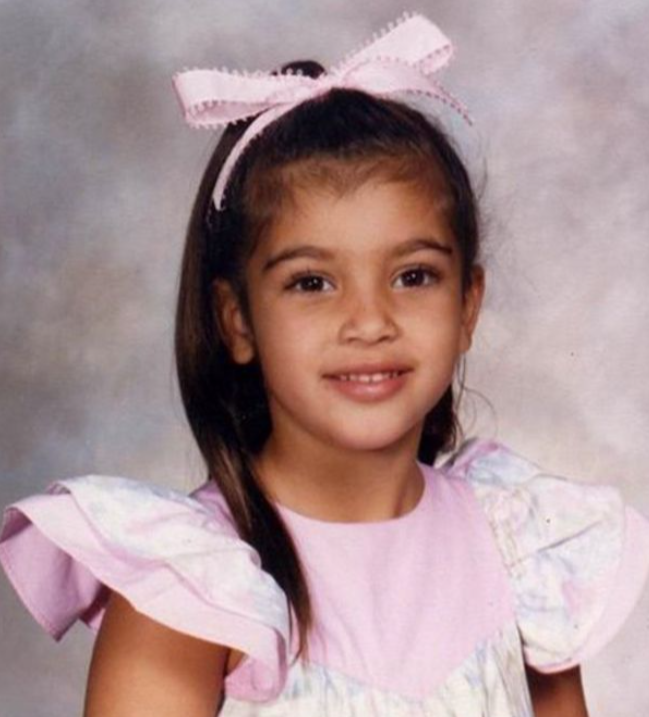
Answer: Kim Kardashian
Why it works: The "guess who" format is consistently one of the highest-performing image quiz types. Personal, familiar, satisfying reveal, and it scales to any audience niche.
When to Use Which Format
Not every image trivia format works equally well on every platform. The right choice depends on who you're posting for, what action you want them to take, and where they're watching. Use this as your starting filter before you pick a question.
Common Mistakes That Kill Engagement
1. The answer is visible in the question frame. The full logo, landmark, or object is in the shot, even partially. The quiz is over before it starts. No pause, no guess, no comment. Crop to one texture, one curve, one detail.
2. Text-only reveal, no visual payoff: The reveal frame shows "It's the Eiffel Tower!" as text. No zoom-out, no full image. Viewers lose the visual confirmation they were waiting for, replays drop to near zero, and shares disappear entirely. The full image reveal is non-negotiable.
3. Crop tightness doesn't match the countdown timer: An extreme crop paired with an 8-second timer frustrates instead of challenges. Viewers disengage before the reveal rather than leaning in. The timer has to reflect how hard the image actually is, not how hard it looks to you.
4. Low-resolution or blurry source image. In-text trivia, image quality is irrelevant. In image trivia, a blurry question image signals low effort and kills the format entirely. viewers can't distinguish meaningful detail from noise, so they skip rather than guess.
5. The image is so niche the subject is unguessable: a macro shot of a lesser-known bird species, an obscure architectural detail, an ingredient most of your audience has never encountered. The reveal lands flat because nobody attempted a guess. The subject must be familiar once revealed; the challenge is the crop, not the subject itself.
FAQs
Q1. What makes a good image for trivia?
Answer: The best trivia image is unrecognizable before the reveal and instantly obvious after it. High resolution matters; blurry images kill the format. Crop tight enough to remove identifying context, but not so tight that the image becomes completely abstract.
Q2. How long should the countdown be in an image trivia video?
Answer: Match the timer to the difficulty: 5–8 seconds for Identify (clear photo, familiar subject); 8–12 seconds for Close-Up (harder to place, needs real thinking time); 10–15 seconds for Before & After (two images to process). Shorter countdowns on harder questions frustrate viewers and reduce comment volume.
Q3. Which image trivia format works best on TikTok and Reels?
Answer: Close-Up macro questions perform best on short-form video. The tight crop drives replays, and replays are one of the strongest engagement signals on both platforms.
Q4. Can I create image trivia videos without design experience?
Answer: Yes. Trivia by Typito AI generates the full video structure from a single text prompt, no editing, no design work, no timeline assembly required.
Q5. How do image quizzes improve engagement on social media?
Answer: They prompt users to pause, think, and comment on their answers, increasing interaction rates. Features like “guess before reveal” create anticipation, which keeps viewers hooked and improves overall content performance.
Your First Image Trivia Post Is One Crop Away
You don't need a full content calendar, a design tool, or a video production setup. You need one good image, a tight crop, and a question your audience can't scroll past without answering.
Pick a category from the list above. Choose a format that fits your platform. Set your timer, plan your reveal, and post it. The comment thread will tell you everything you need to know about what to make next.
If you want to skip the assembly entirely, Trivia by Typito AI handles the full structure for you, image frames, countdown, reveal transition, captions, and voiceover, from a single prompt. Export as a 9:16 MP4 and you're ready to post.
The format works. The questions are here. The only thing left is starting.