
Padding Color of Frames
How to change the padding color of frames
If you have added a custom format with padding or chosen a format like the 'Square Letterbox', you might want to change the letterbox padding color. This can be easily achieved with just a few clicks. This can be very helpful in brand building.
To change the color of the padding, follow the steps below.
1Click 'Settings ' on the top left of your editing canvas.
2This opens up the Project Settings. Navigate to Project defaults > Padding color. Click the + icon to choose and choose a color that compliments your video and the brand.
3The new color you have chosen will now reflect on the timeline.
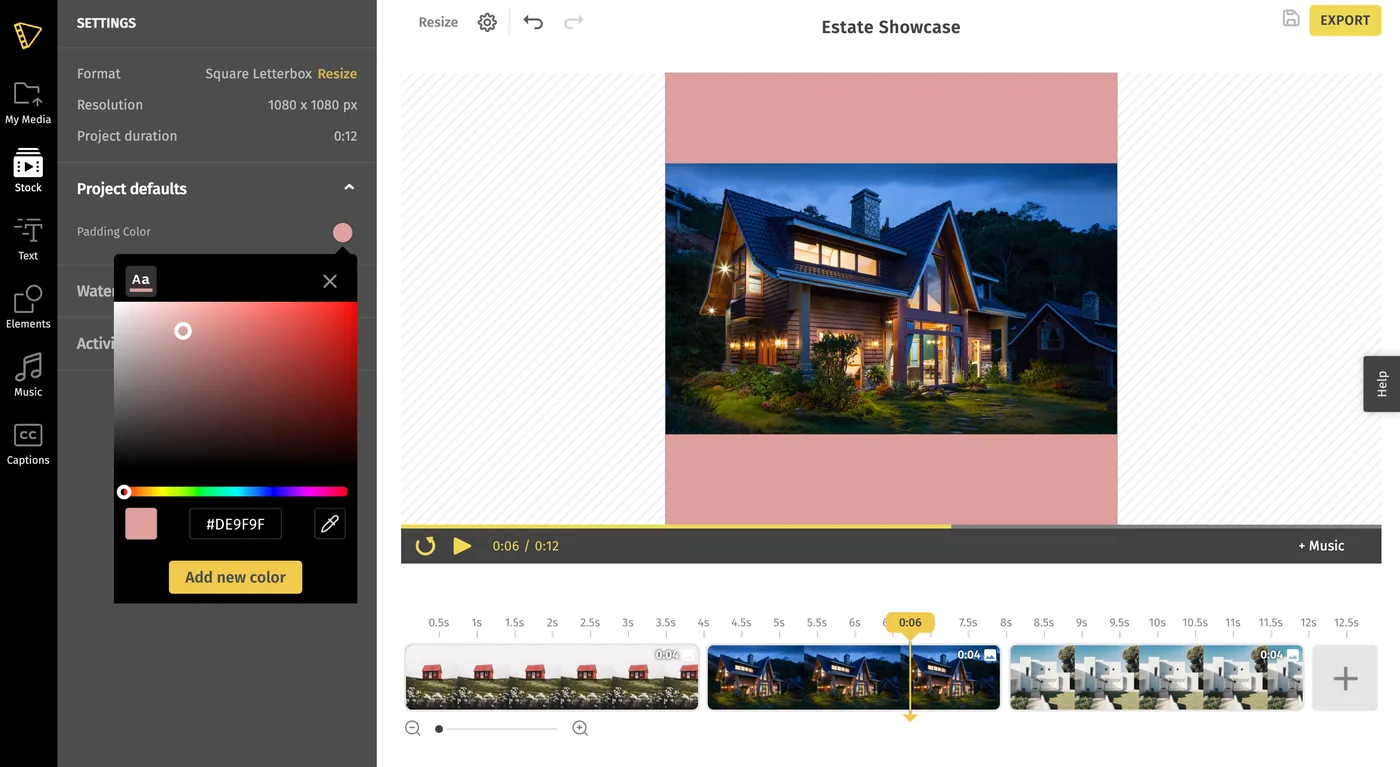
Note - You can also change the format of your video from the 'Project Settings'.
Related Articles:
How to View your Project Settings
How to Resize your video
Still stuck? Email hello@typito.com and a human will pick it up.