
Project Settings
How to View your Project Settings
1Click 'Settings ' on the top left of your editing canvas.
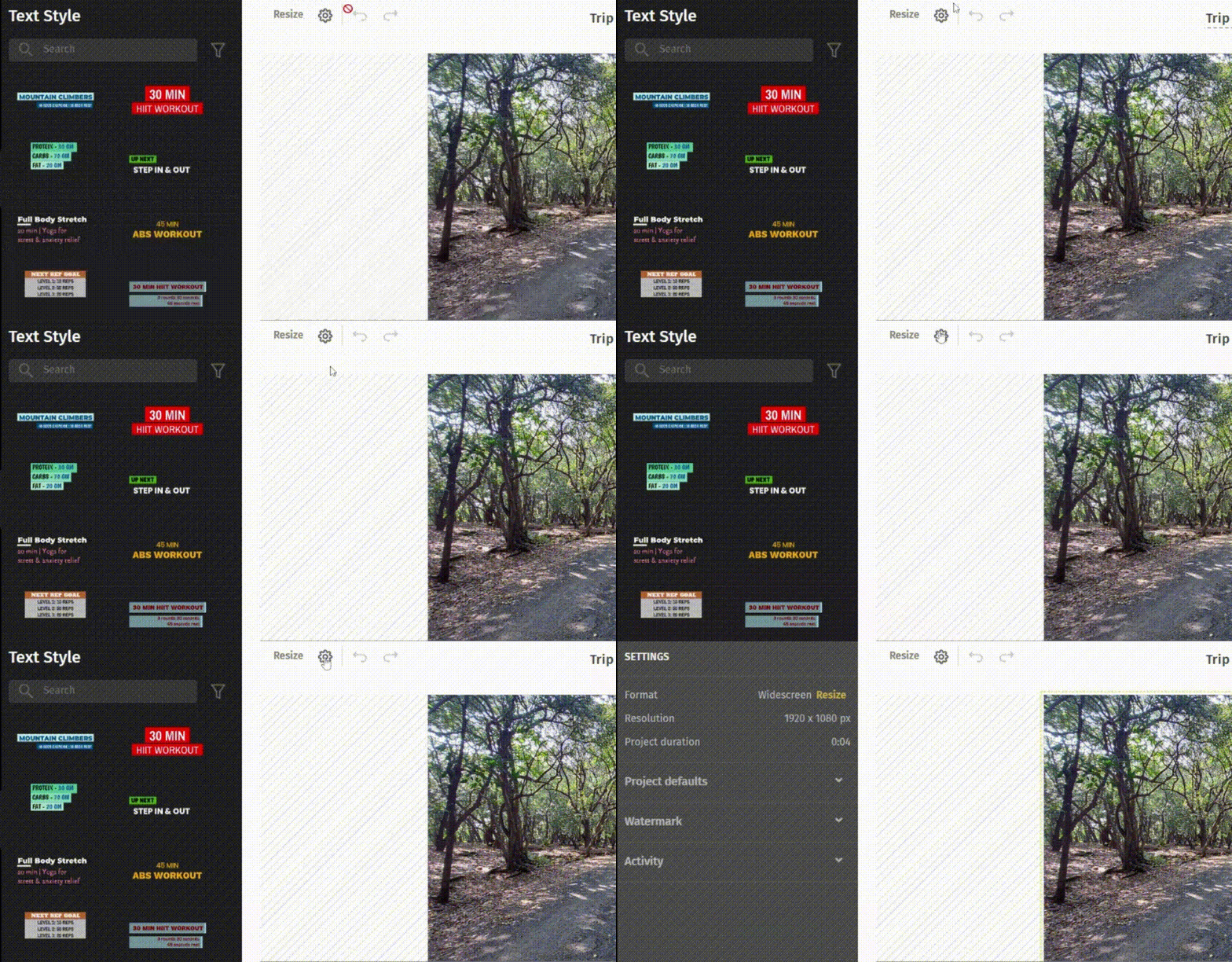
You can view important details about your video project like:
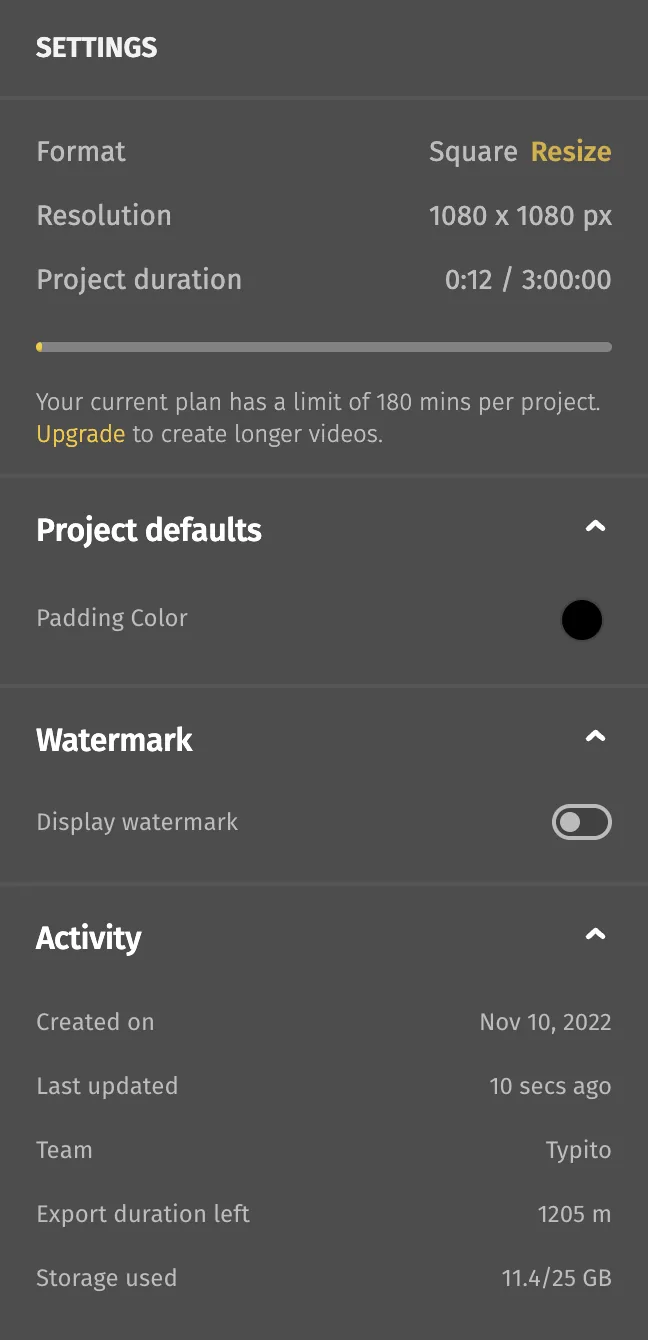
The Format - You can click the Resize icon to change your video format.
Resolution - Aspect ratio of your video.
Project Duration - Total project duration on the timeline.
Project Defaults - Padding color if padding for your video has been enabled.
Watermark - if you're on a free plan, your videos will have a Typito Watermark. You can add watermarks to your videos if you are a paid user.
Activity - When the project was created and last updated, the team and other important information.
Note: You can resize your video from the Project Settings to create videos to suit the platform you will publish it on. Click the Resize button and choose from our predefined video formats.
Still stuck? Email hello@typito.com and a human will pick it up.