
The 6 Best Submagic Alternatives in 2026 (Free & Paid AI Caption Tools)
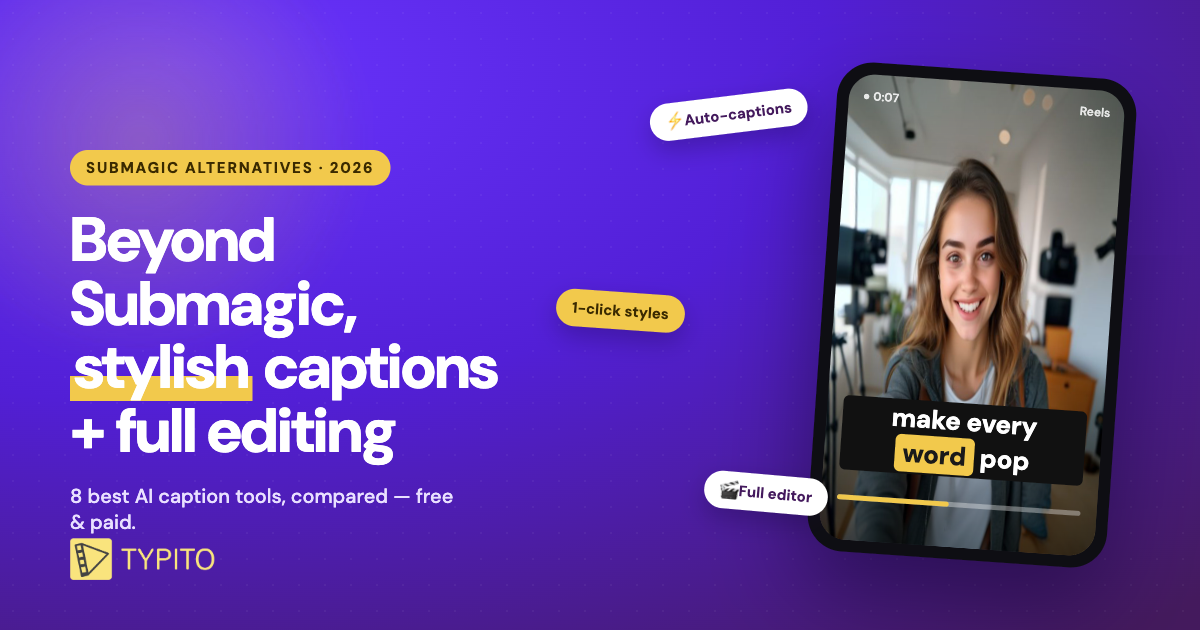
Submagic made animated, word-by-word captions famous — but it’s not the only tool that does them, and for many creators it’s not the best value. If you want the same punchy captions with a real editor around them (or just a cheaper, free option), you have good choices. This guide compares the best Submagic alternatives in 2026 — what each is best for, honest pricing, and the free picks.
What to look for in a Submagic alternative
Submagic is a captions-first app: it auto-transcribes your video and adds trendy animated text. A strong alternative should match that on caption accuracy and style, then add what Submagic lacks for your workflow — a full editor, video repurposing (long clips → shorts), a free plan, or lower pricing. The right pick depends on whether you want captions-only or captions plus a place to finish the whole video.
⚡ TL;DR — the quick picks
- Stylish captions + full editor: Typito
- Best free option: CapCut
- All-round AI editing: VEED · Repurposing long video: Opus Clip
- Mobile-first: Captions AI · Text-based editing: Descript
The 6 best Submagic alternatives in 2026
| Tool | Typito | CapCut | VEED | Opus Clip | Captions AI | Descript |
|---|---|---|---|---|---|---|
| AI auto-captions | ✓ | ✓ | ✓ | ✓ | ✓ | ✓ |
| Animated caption templates | ✓ | ✓ | ✓ | ✓ | ✓ | ✗ |
| Full video editor | ✓ | ✓ | ✓ | ✗ | ✗ | ✓ |
| Long-video → shorts | ✗ | ✗ | ✓ | ✓ | ✗ | ✗ |
| Free plan | ✓ | ✓ | ✓ | ✓ | ✓ | ✓ |
| Paid from (monthly) | $18 | $10 | $24 | $15 | $10 | $16 |
| Best for | Captions + design | Free editing | All-round AI | Repurposing | Mobile | Transcript editing |
Prices verified Jul 2026 — check each tool for the latest.
1. Typito — best for stylish captions + a full editor
Typito is a browser-based video editor with auto-captions built in. It generates accurate captions in seconds, styles them with animated templates (the Submagic look), and — unlike a captions-only app — drops them into a full editor where you can add b-roll, music, brand kits and export in any social format. The same project goes from raw clip to captioned, branded video without switching tools.
Pros
- Auto-captions plus animated, on-brand templates
- A full editor around your captions, not just captions
- Free plan; paid from $18/mo
Cons
- Not a long-video repurposing tool (no auto-clipping)
- Web-based, so you’ll need an internet connection
For creators who want Submagic-style captions and a place to finish the whole video, Typito is the strongest all-round alternative.
Real example: see how LCFA used Typito’s captions on their public-health videos →
2. CapCut — best free alternative
CapCut is the most capable free option. Its auto-captions, trendy animated text and editing tools cover most of the Submagic toolkit at zero cost — the trade-off is more manual tweaking and a busier, mobile-first interface. If budget is the deciding factor, start here.
3. VEED — best all-round AI editor
VEED is a browser-based editor with auto-subtitles in 100+ languages, AI avatars, translation and a dedicated captioning app. It’s a strong pick if you want captions as part of a broader AI editing suite. Paid plans start around $24/month. See our full VEED alternatives breakdown →
4. Opus Clip — best for repurposing long video
Opus Clip analyses long-form videos (podcasts, webinars, streams), finds the most engaging moments and turns them into captioned shorts automatically. It’s built for volume and repurposing rather than editing a single video — ideal if your source material is long-form. Free plan; paid from around $15/month.
5. Captions AI — best mobile alternative
Captions AI is a phone-first app that closely matches Submagic’s caption styling, plus advanced AI features like voice cloning and eye-contact correction. If you shoot and edit entirely on your phone, it’s the closest mobile match. Free tier; paid from around $10/month.
6. Descript — best for text-based editing
Descript lets you edit video by editing the auto-generated transcript — delete a word from the text and it’s cut from the video. Great for talking-head content, filler-word removal and podcasts, though its caption styling is plainer than Submagic’s. Free plan; paid from around $16/month.
Is there a free Submagic alternative?
Yes — several. CapCut is effectively free for most captioning and editing. Typito, VEED, Opus Clip, Captions AI and Descript all offer free plans with limits, usually enough to test the workflow before paying. If you want stylish templates and a full editor on the free tier, try Typito’s free auto-captions.
Frequently asked questions
Is there a free Submagic alternative?
Yes. CapCut is the most capable fully-free option, and Typito, VEED, Opus Clip, Captions AI and Descript all have free plans with limits. CapCut is best for zero-cost captions; Typito if you want stylish templates plus a full editor.
What is the best Submagic alternative for TikTok and Instagram?
For vertical short-form, Typito and CapCut are strongest — both add animated captions and export in 9:16 with the text burned in, so your Reels and TikToks stay captioned on mute.
How much does Submagic cost?
Submagic starts around $16/month (billed annually) and rises with higher plans, with no meaningful free plan beyond a short trial — a big reason creators look for cheaper or free alternatives.
What is the best no-watermark Submagic alternative?
On paid plans, Typito, VEED and CapCut all export without a watermark. Typito’s free plan adds a small watermark that’s removed on any paid tier, and CapCut’s free exports are watermark-light.