
Upgrading or Downgrading to Different Plans
How do I upgrade or downgrade my subscription?
Upgrading and downgrading your Typito account can be done from your Account Settings menu.
Let’s take you through the steps on how to upgrade or downgrade your account
1Log in to your Typito account.
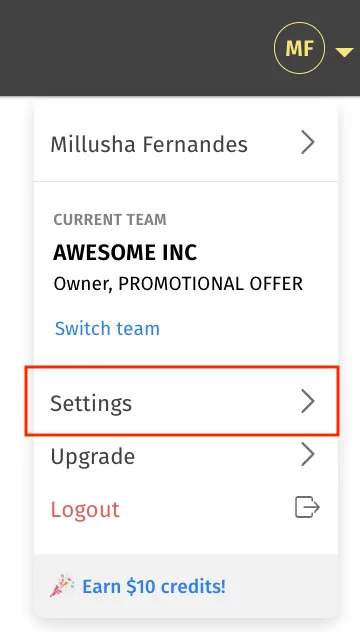
2Navigate to "Settings" from the top left corner of your dashboard.
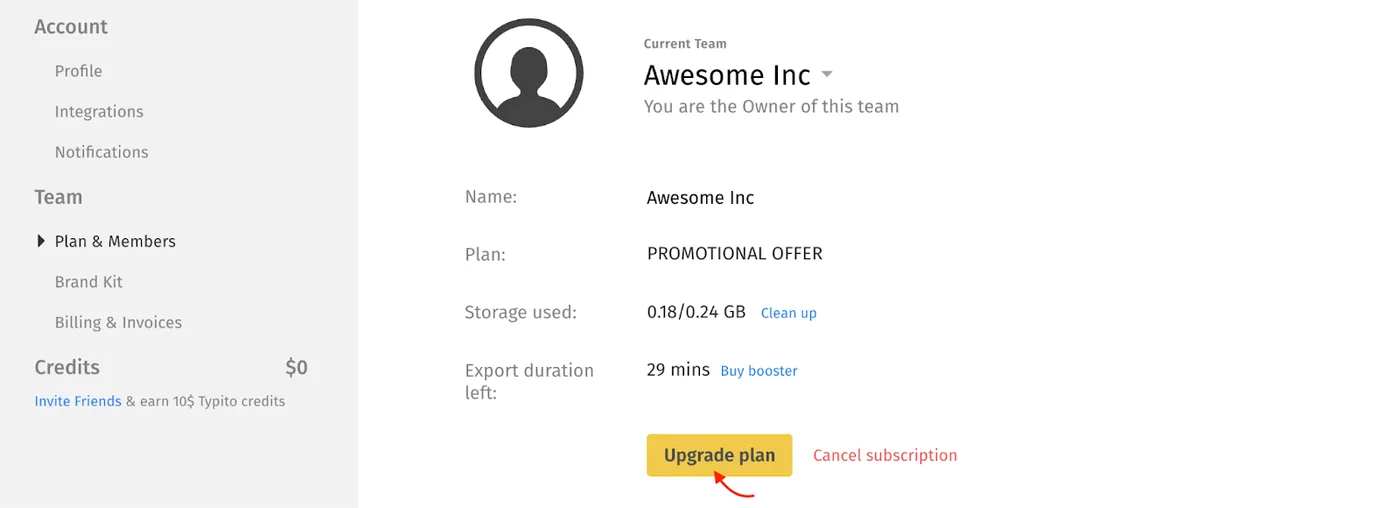
3Click "Plan & Members"
4Click “Upgrade/Downgrade Plan” to browse the other plan options.
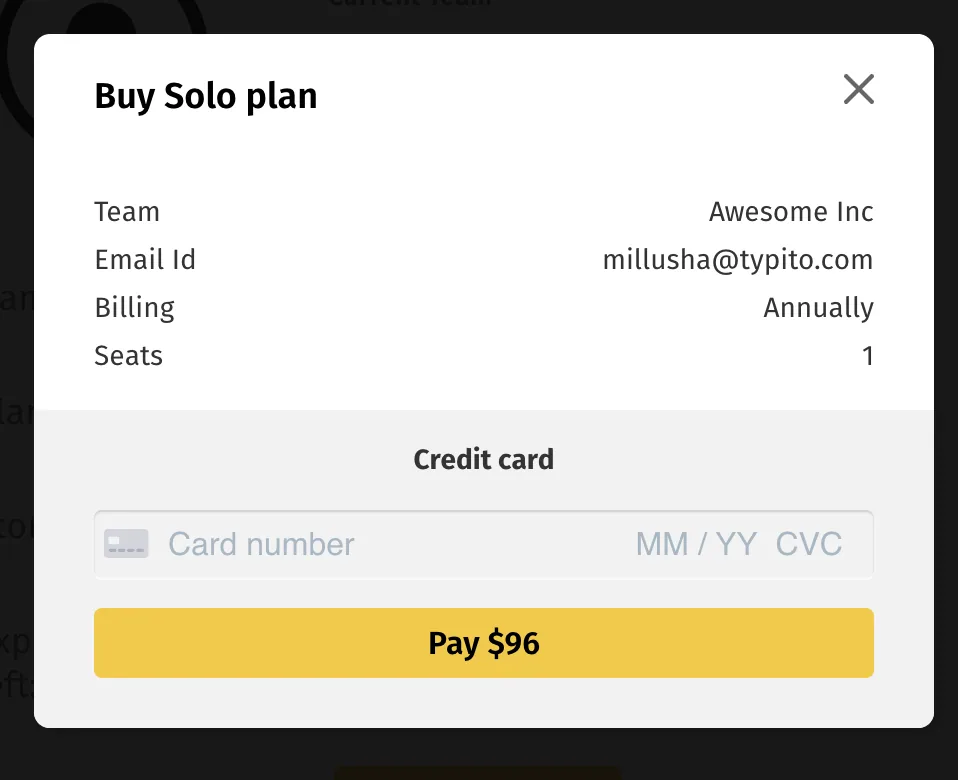
1Use the toggle at the top to choose if you'd like to pay annually or monthly. Then, click the "Buy plan" button beneath your desired new plan.
FAQ
1. What happens if I upgrade my plan mid-subscription?
If you upgrade your plan mid-subscription, the difference between your original plan and your new plan will be adjusted. You can reach out to us via email at hello@typito.com or on live chat for help with adjusting your subscription.
Please read our account cancellation and refund policy or contact our support team for more information on account cancellations.