
Animate Text, Image overlays, and Elements
How to animate text, images, and other overlay elements
You can animate the way simple text and other overlays appear on the video.
Note: In this example we'll show you how to animate text overlays. You can follow the same steps to animate clip overlays, logos, and shapes.
Here’s how you can animate an overlay:
1Select the overlay you want to animate.
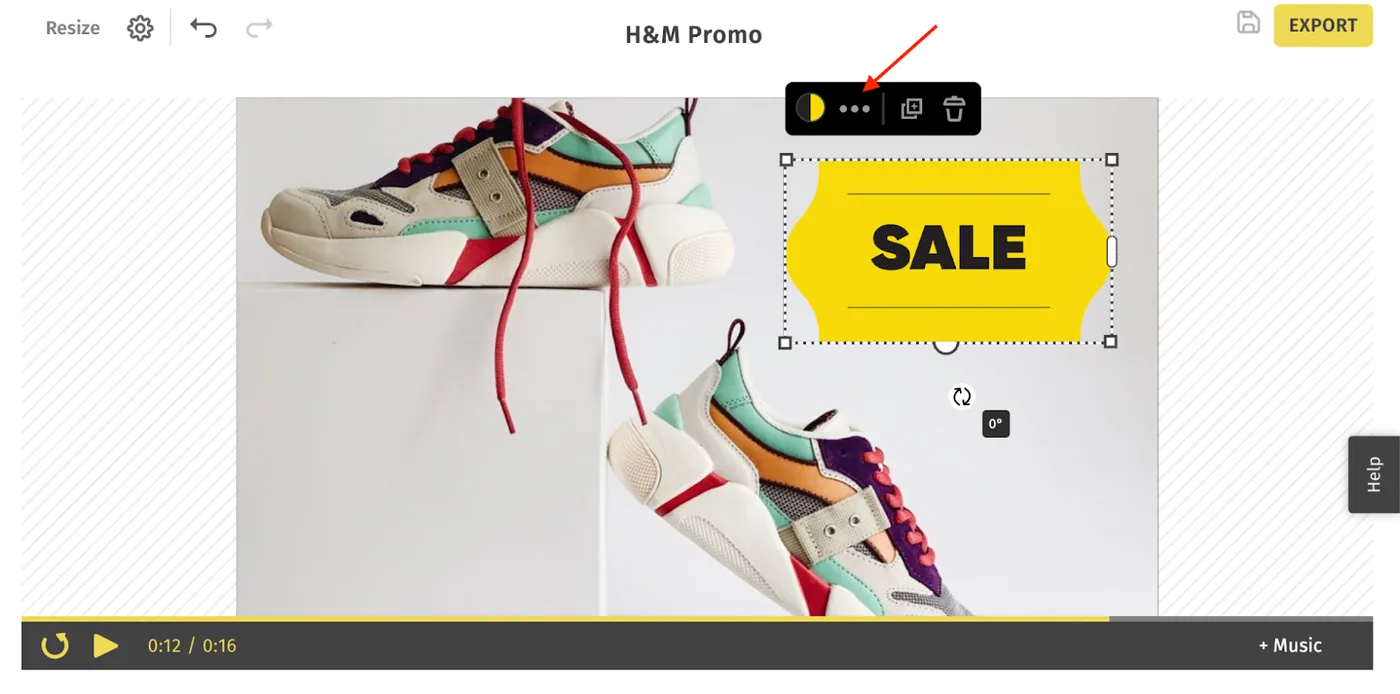
2Click More Options from the text action bar - which will open up the Clip Options properties panel on the left.
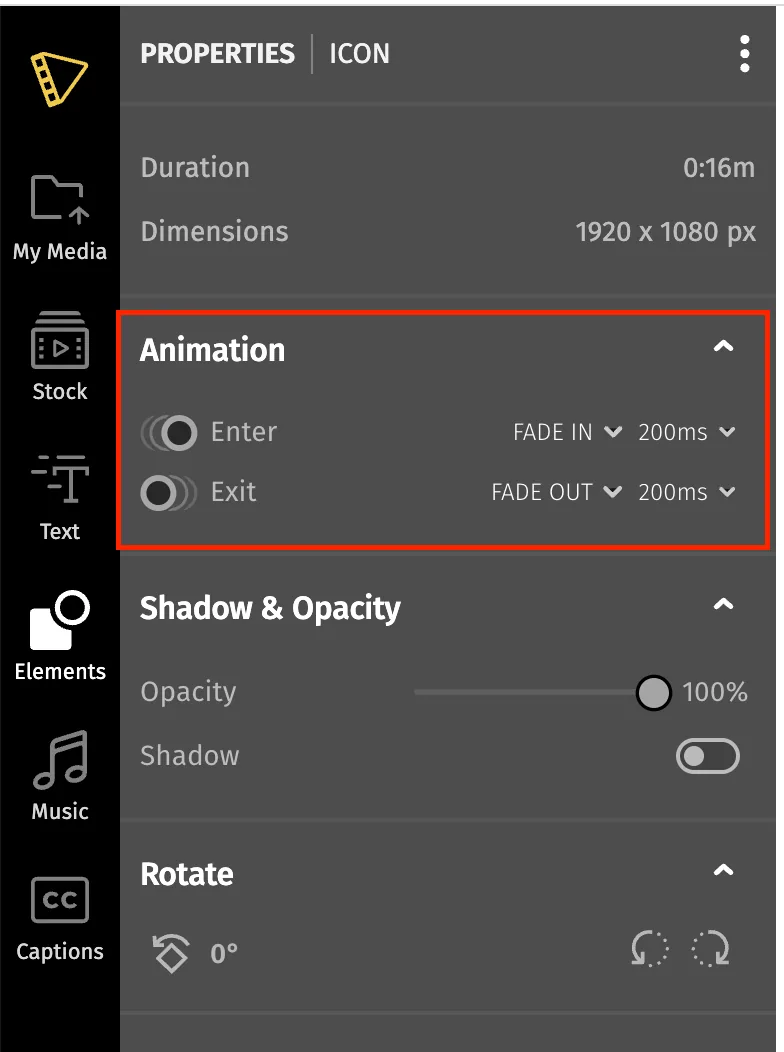
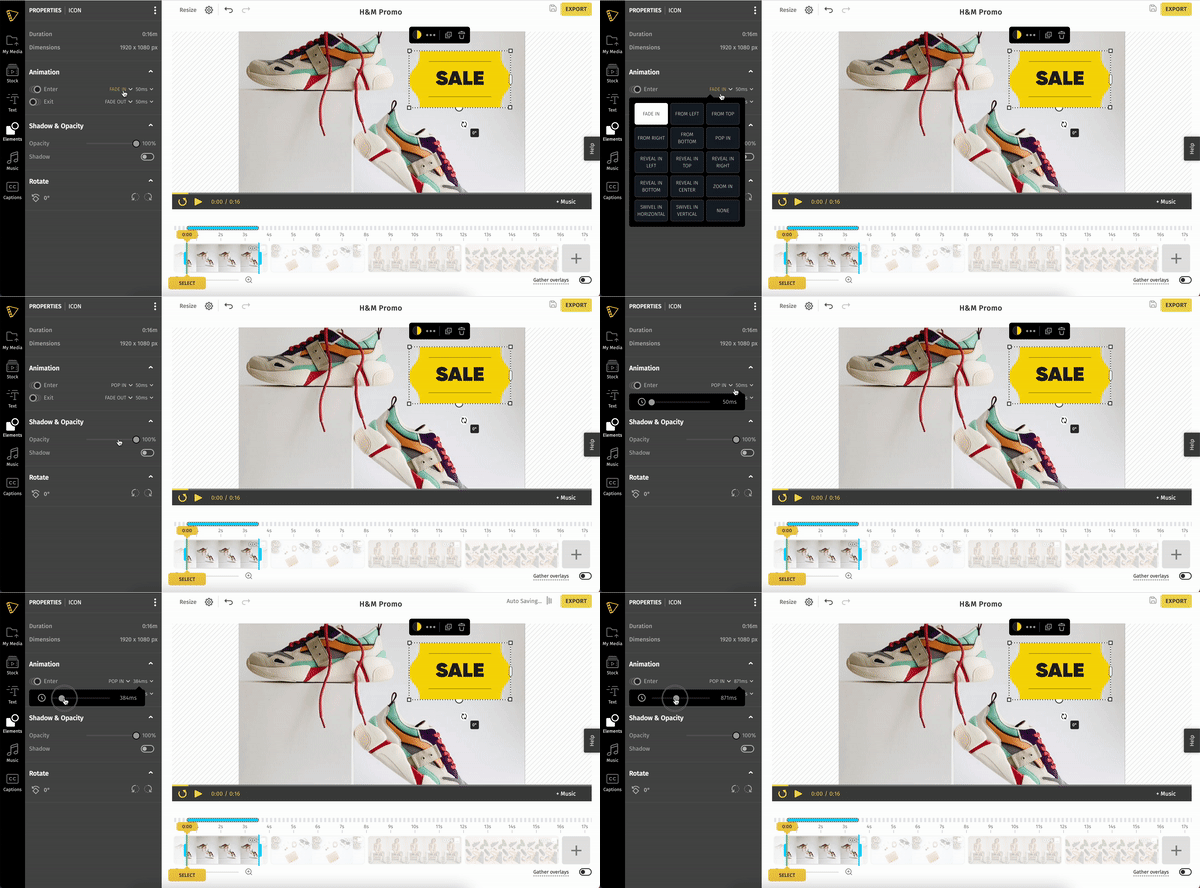
3Under 'Animations,' choose the animation style and speed.
Still stuck? Email hello@typito.com and a human will pick it up.