Think about the last time you watched a game show. The contestant knows the answer. You can see it on their faces. Then the clock starts ticking, and suddenly, even a simple question feels impossible.
That pressure is the whole point.
Timers on trivia do the same thing. The question does not change. But the moment a countdown appears, your viewer stops watching and starts playing. They guess. They comment. They replay to see if they were right. That one small change, a ticking clock, turns a passive scroll into an active moment.
This playbook covers why the psychology of countdown works for trivia games, how to pick the best timer duration for your trivia videos, and how real creators have used this to build audiences that actually show up.
Here’s everything we’ll look at in the next few sections
Jump to a section:
- Why countdown timers work in trivia videos
- Best timer lengths for different trivia video formats
- Why shorter trivia timers can hurt engagement
- Examples of trivia videos that use timers well
- How to add countdown timers to trivia videos efficiently
- FAQs about trivia timers and video pacing
Why countdown timers work in trivia videos
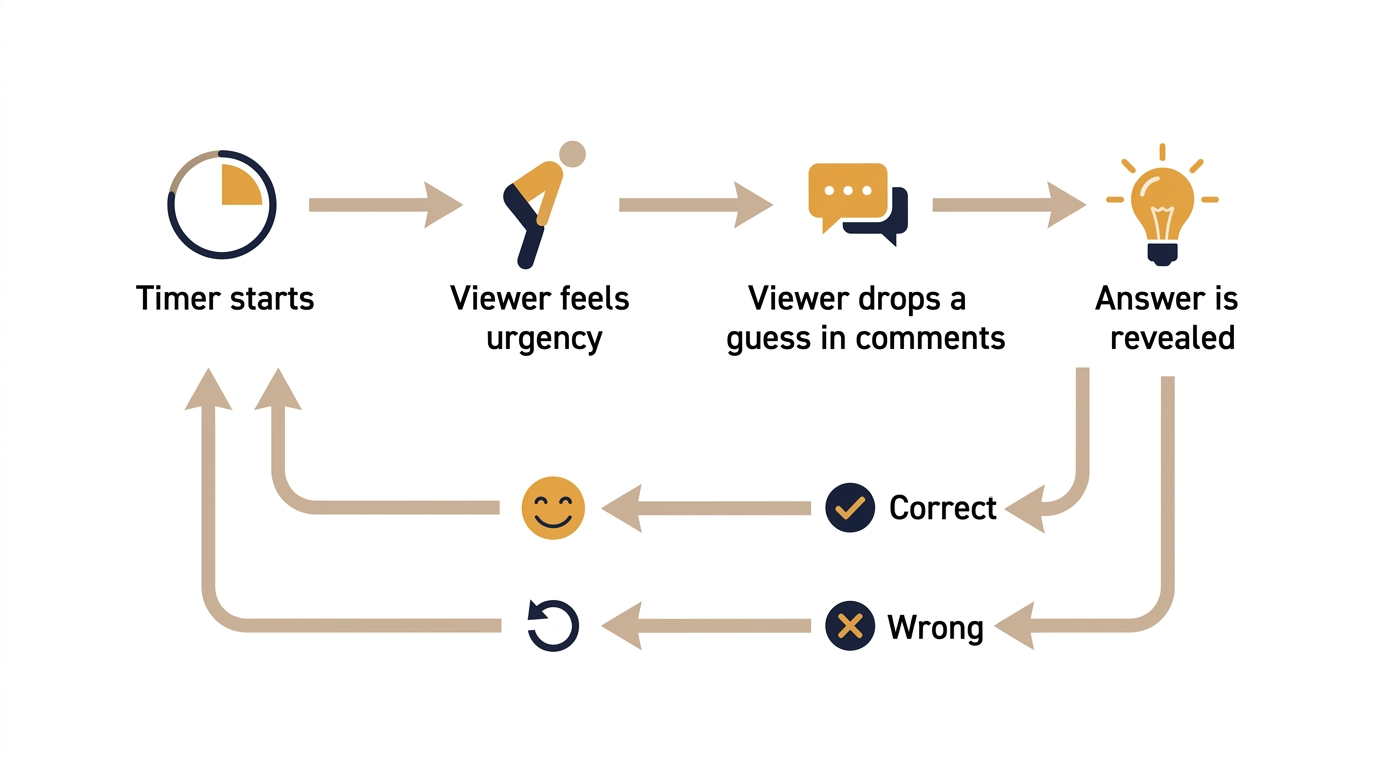
When a timer counts down, it creates a micro-dose of pressure that drives higher video engagement metrics by forcing commitment.
We see this psychology of countdown everywhere in the real world. Game shows rely on buzzer timers, pub quizzes use strict clocks, and escape rooms use giant ticking screens to maintain tension.
A countdown can increase urgency, but only when the viewer has enough time to read, think, and respond. If the timer feels unfair, it creates frustration instead of momentum.
Tactical takeaway: If your trivia has no timer, you are asking viewers to guess at their own pace. Most won’t.
Best timer lengths for different trivia video formats
Choosing the right timer duration is not a random decision. It is a structured decision that dictates how your audience interacts with your quiz video format.
Different social media platforms and question types require different pacing. A countdown timer trivia format that works perfectly for a quick pop-culture quiz will absolutely ruin a complex math puzzle.
Here’s a quick cheatsheet to match the best timer duration for trivia videos:
Be careful when mixing formats. Using a 3-second flash timer on a difficult historical question breaks audience trust, leading to immediate drop-offs and frustration.
Tactical takeaway: Match your timer to your platform’s average session length, not your preference.
Why shorter trivia timers can hurt engagement
The right timer length makes the challenge feel fair. Too short, and the viewer gives up before they can even process the question. Too long, and the tension drains out of the format.
A common assumption is that faster timers always feel more exciting. But when you look at trivia engagement tips from real creators, the opposite often holds: timers that are too aggressive can hurt your retention rather than help it.
The cognitive load required to read a question, process the options, and formulate an answer takes time. A 5-second timer on a word puzzle is impossible to answer under pressure, while a 15-second timer adds suspense without feeling punishing.
This perception of fairness directly impacts your shareability. Viewers rarely send content to their friends if the format makes them feel slow or inadequate.
The sweet spot creates the “just barely made it” effect. When a viewer figures out the answer right as the timer hits zero, the reveal feels more satisfying and the experience feels more interactive, making them highly likely to watch the next question.
Tactical takeaway: A timer that feels too easy gets skipped. A timer that feels impossible gets abandoned. Test at 10 seconds first.
Examples of trivia videos that use timers well
To see how these mechanics perform in the wild, we can look at successful creators who have mastered countdowns in their content.
Quiz Blitz (YouTube)
- Platform and format type: YouTube long-form compilation (“Guess the Animal”)
- Timer length used: 3-second flash timer
- Observed behavior: High replay value across a large volume of views, with viewers returning for successive questions
- What creators can learn from this: The rapid-fire pacing removes any dead air, keeping viewers hooked through hundreds of micro-questions. Works better for fast guesses than text-heavy questions, which is why the flash timer suits this format.
Apptato Trivia and Word Games (YouTube)
- Platform and format type: YouTube Shorts and long-form math and logic puzzles, active since June 2013
- Timer length used: Timed reveal format on both short and long-form videos, giving viewers enough time to work through the puzzle before the answer appears
- Observed behavior: Math quizzes are their most-viewed content on both short and long-form formats, with comment sections filled with viewers debating steps and working out answers
- What creators can learn from this: Giving viewers the exact cognitive runway needed to solve a puzzle before revealing the answer prevents frustration and keeps engagement high. The timer length here is tuned to the question type, not the platform default.
TriviawithIbiza (YouTube Shorts)
This channel is a useful example of what happens when you replace a visual timer with an audio one.
- Platform and format type: Fast-paced vertical logo and graphic quizzes on YouTube Shorts, active since February 2024
- Timer length used: No visual countdown timer. Instead, an audible ticking sound cues viewers when time is running out before the answer is revealed
- Observed behavior: Top videos in this format have accumulated millions of views, with strong comment activity from viewers guessing answers
- What creators can learn from this: The questions escalate from easy to hard within a single video, building anticipation as it progresses. The audible cue adds suspense without cluttering the visual space, which keeps the graphic quiz clean and fast. This approach suggests that when your visual design is already busy, an audio timer can carry the urgency without competing for screen real estate.
Tactical takeaway: Use successful examples as a starting benchmark, then test the timer length against your own question type and audience. What works for a logo quiz may not suit a history question.
How to add countdown timers to trivia videos efficiently
Adding a timer to your video requires precision. The gap between the timer ending and the answer revealing must be seamless, or the tension vanishes.
How to manually add a countdown timer to your trivia video
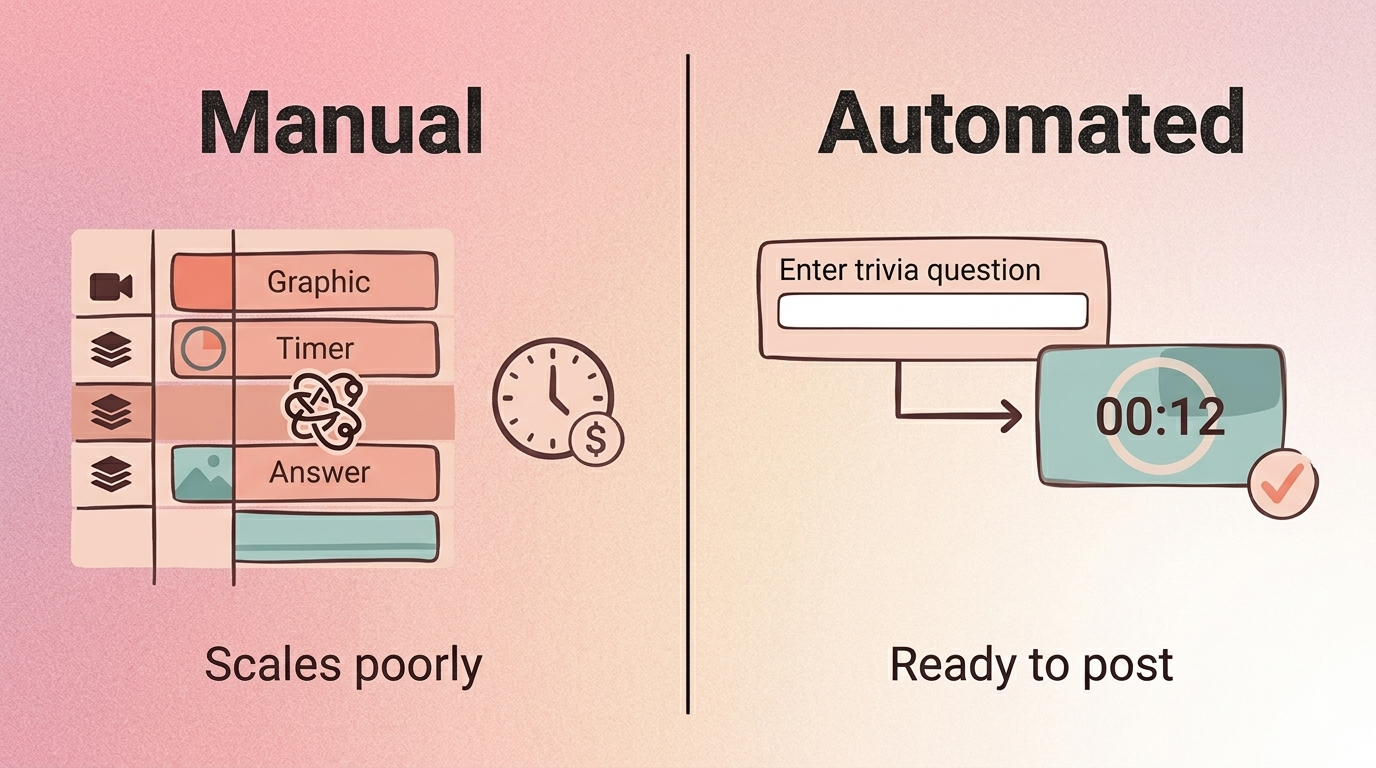
Creating timers from scratch means generating graphics and animating them frame-by-frame in your editing timeline. Tools like Adobe Premiere Pro, DaVinci Resolve, and CapCut all support this workflow, but the process is the same regardless of which editor you use:
- Design or download a countdown graphic asset (a PNG sequence or animated overlay)
- Place it on a separate track above your question slide in the timeline
- Trim or extend the clip to match your chosen timer duration
- Align the graphic so it ends exactly when your answer slide begins
This method often leads to sync issues, where the visual timer hits zero but the answer does not immediately appear, creating awkward dead air. Even a half-second gap breaks the tension you built.
Manual editing makes sense for high-production, one-off quiz videos, but it scales poorly if you want to post daily or weekly.
How to automatically sync countdown timers using trivia video tools
Consistent creators rely on tools that automate timers natively inside their content workflows. Here is how the process works with a tool like
Tools like Trivia by Typito AI build the countdown directly into the video format, removing manual sync entirely. Here is what that process looks like:
- Go to Trivia by Typito AI and start a new trivia video
- Enter your question, answer options, and choose your timer duration
- The tool auto-paces the countdown and syncs it to the answer reveal
- Preview to confirm the timing feels right for your question type
- Export and post — no timeline editing required
The timer is built into the format itself, so it appears clean and on-brand without any additional layers in your editing software. You can try it for free and have your first timed trivia video ready in minutes.
This approach saves time and guarantees sync accuracy, letting you produce consistent trivia content without getting bogged down in the timeline.
Tactical takeaway: If you’re making more than two trivia videos a month, manual timer editing will become your biggest bottleneck.
FAQs about trivia timers and video pacing
Q1: What is the best timer length for trivia videos?
Answer: The best timer length depends on your platform and question difficulty. Use 3 to 5 seconds for simple visual questions on TikTok or Reels, and 10 to 15 seconds for more complex text-based questions on YouTube. For educational or team formats, 20 to 30 seconds gives viewers enough time to think and respond meaningfully.
Q2: Does a countdown timer actually increase engagement?
Answer: Yes. A countdown timer creates urgency that forces viewers to commit to an answer before the reveal. This psychological pressure increases comment volume and encourages viewers to replay the video. The moment of tension followed by the reveal acts as a reward loop that keeps audiences watching longer and returning to your channel.
Q3: Can I add a timer to a trivia video without editing software?
Answer: Yes, you can skip complex timeline editing entirely. Automated quiz video tools let you input your questions and automatically apply perfectly synced countdown timers. This removes the most common friction point in trivia video production, which is the manual sync between the timer graphic and the answer reveal. Look for tools built specifically for trivia video formats, as they handle the timing automatically.
Q4: What is the difference between a flash timer and a standard timer in trivia?
Answer: A flash timer lasts 3 to 5 seconds and is designed for instinct-based guessing, making it ideal for short-form platforms like TikTok and Reels. A standard timer runs 10 to 15 seconds, giving viewers enough cognitive runway to process a logic puzzle or text question. Choosing the wrong format for your question type frustrates viewers and increases drop-off.
Q5: Do timers work for async trivia or only live quizzes?
Answer: Timers are highly effective for async trivia. Even in pre-recorded videos, the visual countdown mimics live pressure and keeps the audience engaged rather than passively watching. Async trivia with a visible timer consistently outperforms the same content without one in comments and reply metrics. The pressure feels real even when the quiz is not live.
Conclusion
Timers do more than add visual interest. They can shape how your audience interacts with your content. By understanding the psychology of countdowns, you can make more deliberate choices about how your viewers engage.
The core decision is simple: match your timer length to your platform and the cognitive load of your question.
If you are not sure where to start, try a 10-second timer on your next trivia post and watch what happens in the comments.
If you are creating trivia regularly, tools that automate timers are worth exploring.