At a Glance: Virtual Team Trivia Guide.
Jump to a section:
- What Is Virtual Team Trivia?
- The Difference Between Virtual Trivia and Virtual Team Trivia
- Best Virtual Team Trivia Formats
- Virtual Team Trivia Question Ideas
- How to Run Virtual Team Trivia (Step by Step)
- Best Tools for Virtual Team Trivia
- Virtual Team Trivia Templates & Resources
- Common Mistakes Teams Make With Virtual Team Trivia
- FAQs About Virtual Team Trivia
You schedule the meeting with good intentions. The calendar invite goes out. People show up.
And then it happens again.
Long pauses, muted microphones, and polite nods. The energy appears to dissipate, and participation begins to feel forced.
This is the reality of remote work in 2026. Teams are distributed, attention spans are shorter, and no one wants another forced icebreaker or awkward round of small talk.
That’s why virtual team trivia has become a practical tool for managers, HR leaders, and internal communications teams looking to boost participation without forcing awkward interactions.
In this guide, you’ll learn:
- Virtual team trivia formats that actually get responses from remote teams
- Trivia question ideas that feel inclusive not awkward or cringe
- How to run virtual team trivia for teams of different sizes and time zones
- The tools, templates, and resources that make trivia easy to repeat
What Is Virtual Team Trivia?
Virtual team trivia is a participation-focused activity for remote and hybrid teams. It’s commonly used as part of remote team engagement activities and virtual team building games, where employees answer short, simple questions through chat, polls, interactive videos, or async tools.
Unlike traditional trivia, it’s not about competition or winning. The goal is to encourage easy, low-pressure participation from everyone, regardless of role, personality, or location.
The Difference Between Virtual Trivia and Virtual Team Trivia
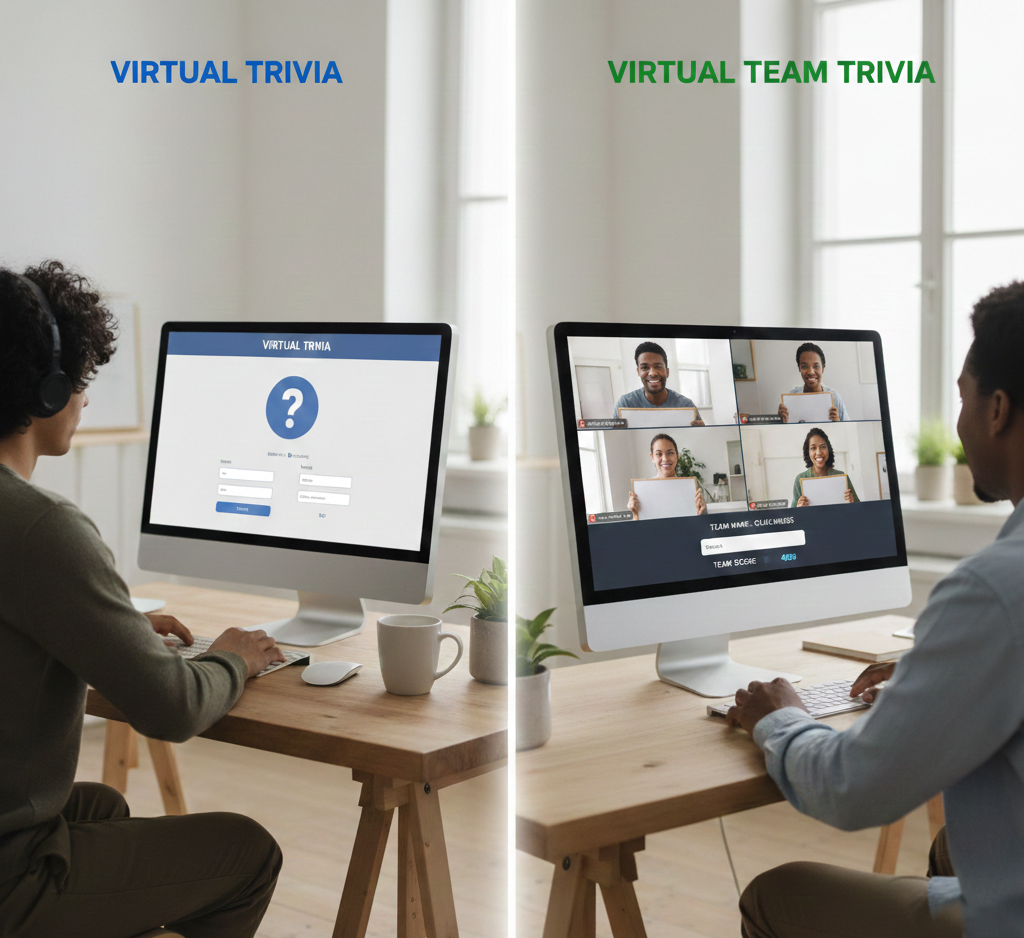
Virtual trivia and virtual team trivia may look similar on the surface, but they create very different experiences.
- Virtual trivia works best for entertainment-driven moments like team celebrations or virtual parties. It’s competitive, fast-paced, and designed to create energy, but it often limits participation to a smaller group of active players.
Virtual Trivia
- Virtual team trivia is better suited for remote and hybrid work environments. It prioritizes participation over competition, using simple formats like polls, chat responses, or interactive videos to include everyone. When the goal is consistent engagement rather than one-time fun, virtual team trivia is the stronger choice.
Virtual team trivia
Best Virtual Team Trivia Formats
1. Live Hosted Virtual Team Trivia
This format is commonly used for Zoom trivia games, especially during all hands meetings or team syncs where real time participation and shared energy matter. A host presents the questions, and participants respond simultaneously using chat features, polls, or integrated third-party tools.
2. Asynchronous Virtual Team Trivia
Asynchronous trivia allows team members to participate on their own schedule instead of joining a live session. Questions are shared through tools like Slack, email, or interactive videos.
3. Video-Based Virtual Team Trivia
Video-based trivia delivers questions through short, interactive videos where employees respond by clicking or selecting answers directly within the video experience.
Virtual Team Trivia Question Ideas
1. Company & Work Culture Trivia Questions
Best for: Onboarding, all-hands meetings, internal communications
Example ideas:
- Which of these values is part of our company mission?
- In which year was our company founded?
- What tool do we use most for async communication?
- Which team owns our internal newsletter?
2. Fun Icebreaker Trivia Questions for Remote Teams
Best for: Team meetings, casual engagement, morale boosts
Example ideas:
- Which activity do people prefer for remote breaks: music or quick walks?
- What’s the most common work-from-home snack?
- Which emoji best describes today’s mood?
- Coffee or tea—what’s more popular on the team?
3. Team-Specific & Custom Trivia Questions
Best for: Small teams, recurring engagement.
Example ideas:
- Which project launched most recently?
- Which internal initiative had the highest participation?
- How many countries are represented on our team?
- Which feature was released last quarter?
How to Run Virtual Team Trivia (Step by Step)
Running virtual team trivia doesn’t require complex tools or extensive planning. What matters most is designing the experience around participation, not performance. Follow these steps to run trivia sessions that genuinely engage remote and hybrid teams.
1. Pick a format that suits your team
Start by selecting a format that fits how your team works. Like if your team meets live, run trivia during a call. If your team works across time zones, use async or video-based trivia so people can join when it’s convenient.
2. Ask easy, clear questions
Use short questions that anyone can answer. Avoid tricky rules or niche topics. Multiple-choice questions work best and make participation feel effortless.
3. Keep it short
Limit each session to 5–7 questions. Short trivia rounds keep people engaged and prevent it from feeling like another long meeting.
4. Make answering quick and simple
Let people respond through chat, polls, or clicks. The fewer steps it takes to answer, the more people will participate.
5.End with a simple next step
Thank participants, share the results, or invite them to join the next trivia round. This helps turn trivia into a regular habit instead of a one-time activity.
Best Tools for Virtual Team Trivia
1. Video Conferencing Tools
Best for: Live sessions, all-hands meetings, real-time energy
Video conferencing tools work best when your team is already meeting live and you want trivia to feel like a shared moment rather than a background activity.
When they work best:
- All-hands meetings or team syncs
- Small to mid-sized teams
- Short trivia rounds (5–10 minutes)
Where they struggle:
- Global teams across time zones
- Large groups where chat becomes noisy
- Participation drops if people feel pressure to respond publicly
Common tools:
- Zoom – Built-in polls and reactions make quick trivia easy
- Google Meet – Simple setup, works best with chat-based answers
2. Chat and Collaboration Tools
Best for: Async participation, distributed teams, low-pressure engagement
Chat and collaboration tools work well when teams can’t meet live or when you want trivia to fit naturally into daily work without adding meetings.
When they work best:
- Distributed or global teams
- Async-first cultures
- Recurring trivia (weekly or monthly)
Where they struggle:
- Real-time energy is limited
- Messages can get buried in busy channels
- Engagement drops without reminders
Common tools:
- Slack – Easy to run trivia in channels or threads
- MS Teams – Works well for org-wide or team-specific trivia
3. Polling and Quiz Tools
Best for: Quick responses, large groups, structured answers
Polling and quiz tools are ideal when you want fast participation without asking people to type or speak, especially in larger or mixed-seniority teams.
When they work best:
- Live meetings with large audiences
- Simple multiple-choice trivia
- Time-limited trivia rounds
Where they struggle:
- Limited context or storytelling
- Can feel transactional if overused
- Less effective for long-form engagement
Common tools:
Virtual Team Trivia Templates & Resources
1. Weekly Virtual Team Trivia Template
Best for: Ongoing engagement, async teams
Template structure:
- Trivia question
- Multiple-choice options (optional)
- Time window to respond
- Follow-up message with results or highlights
2. Live Meeting Trivia Template
Best for: All-hands meetings, team syncs
Template structure:
- Total questions: 5–7
- Time per question: 30–60 seconds
- Response method: chat, poll, or reactions
- Closing prompt to acknowledge participation
3. Asynchronous Trivia Challenge Template
Best for: Distributed and global teams
Template structure:
- Challenge duration (e.g., 3–5 days)
- Number of questions per day
- Participation channel (Slack, email, video)
- Reminder cadence
5.Video-Based Trivia Template
Best for: Onboarding, training, async engagement
Template structure:
- Video length (30–90 seconds)
- Question placement (mid-video or end)
- Answer format (click-based or multiple choice)
- Completion or next-step prompt
Common Mistakes Teams Make With Virtual Team Trivia
- Making it too competitive Focusing too much on scores and winners can discourage participation. Trivia should feel low-pressure and inclusive.
- Using difficult or niche questions Hard questions make people hesitate. Simple, easy-to-answer questions work better for diverse teams.
- Running trivia for too long Long sessions feel like meetings. Keeping trivia short helps maintain interest.
- Treating trivia as a one-time activity One-off sessions don’t build engagement. Regular trivia works better over time
FAQs About Virtual Team Trivia
1. How often should teams run virtual team trivia?
Most teams run virtual team trivia weekly or biweekly, depending on team size and availability.
2. How long should a virtual team trivia session be?
A virtual team trivia session works best when it lasts 10 to 15 minutes—short enough to stay fun and engaging without disrupting work.
3. Can virtual team trivia work for global teams?
Yes. Asynchronous and video-based formats allow team members in different time zones to participate at their convenience.
4. Do you need special tools to run virtual team trivia?
No. Many teams use existing tools such as chat apps, polls, or video meetings to run virtual team trivia effectively.