Voiceover is one of those things that sounds optional until you realise it's quietly deciding whether people stay or scroll.
But here's the part nobody tells you: adding a voiceover doesn't automatically help. The wrong kind of voiceover on a trivia video can hurt watch time just as much as having none at all.
This playbook covers when voiceover actually helps, when it gets in the way, what to use instead, and how to set up audio for every trivia format, social post, live event, and short-form video.
At a Glance
- Why Trivia Audio Is a Bigger Deal Than You Think
- How to decide if your trivia video actually needs a voiceover
- How to pick the right audio format for your trivia style
- When Voiceover Helps (and When It Doesn't)
- How to match your audio setup to the right platform
- How to Add Voiceover Without Slowing the Format Down
- Common Voiceover Mistakes That Hurt Watch Time
Why Trivia Audio Is a Bigger Deal Than You Think
Trivia videos live or die on timing. There's a question, a pause, a reveal. That rhythm is the whole experience. Audio either supports that rhythm, or it fights it.
Here's why trivia audio is different from other video content:
- The audience needs silence to think. A voiceover talking during the countdown interferes with the retrieval moment, the whole point of the format.
- The reveal is emotional. A flat, robotic voiceover on the answer undercuts the payoff that keeps people watching to the end.
- A lot of trivia is watched on mute. Autoplay on most platforms defaults to silent, and many viewers never turn the sound on. That doesn't make voiceover useless, but it does mean captions and expressive visuals often carry more weight than audio alone.
- Background music sets the pace and tension. The ticking-clock sound effect tends to do a lot of heavy lifting on a trivia countdown, in many cases more than a narrator would. That said, the right voiceover at the right moment can still land well. It depends on the format and the audience.
How to decide if your trivia video actually needs a voiceover
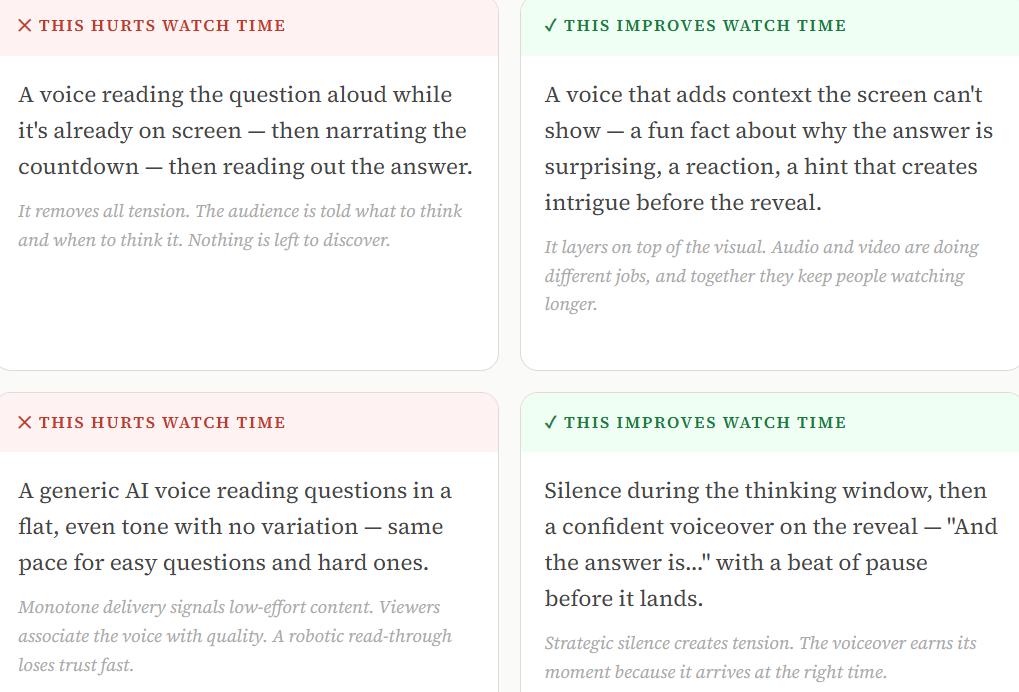
It depends on what your voiceover is doing.
In trivia content, some kinds of voiceover add tension, context, or payoff. Others simply repeat what is already visible and slow the format down.
How to pick the right audio format for your trivia style
Different trivia formats need different audio setups.
Here's the full menu. Pick the one that matches where and how your quiz lives.
1. Music only🎵
(No voiceover, no narration)
Background music with a tempo that matches the countdown speed. Ticking-clock sounds, building beats, or a dramatic sting on the reveal.
Best for: Silent-scroll audiences, short Reels under 15 seconds, question-heavy rounds where the text does the work.
2. Reveal-only voiceover🎙️
(Voice only when the answer is revealed)
Music runs during the question and the countdown. Voiceover drops in only at the reveal, "The answer is…" or an excited reaction with added context.
Best for: Reels, Shorts, TikToks where the reveal is the emotional climax. This is the highest watch-time format for trivia videos.
3. Full narration🗣️
(Voice over throughout the round)
A host-style voice reads each question, gives time to think, then delivers the answer with context and energy. Works when the voice has personality.
Best for: YouTube long-form, podcast-style quiz rounds, live events projected on a screen. Doesn't work on 15-second Reels.
4. Silent + captions🔇
(No audio at all)
No music, no voiceover. The question, a countdown timer visual, and the reveal, all on screen with captions. Designed for mute-scroll environments.
Best for: LinkedIn, text-heavy platforms, carousel posts, any audience that scrolls in public or without headphones.
5.AI voiceover🤖
(Generated, not recorded)
AI-generated voice reads questions and reveals. Works when the voice model has natural variation, fails when it sounds robotic or reads at a single flat pace.
Best for: High-volume creators publishing multiple trivia rounds per week. Use reveal-only mode to get the most from AI voice quality.
6. Music + reveal voice🎼
Background tension music during the question and countdown. AI or human voice enters only on the reveal with a short reaction or fun fact.
Best for: Instagram Reels, YouTube Shorts, TikTok, any short-form platform where watch time and completion rate matter most.
When Voiceover Helps (and When It Doesn't)
Not every trivia scenario is the same.
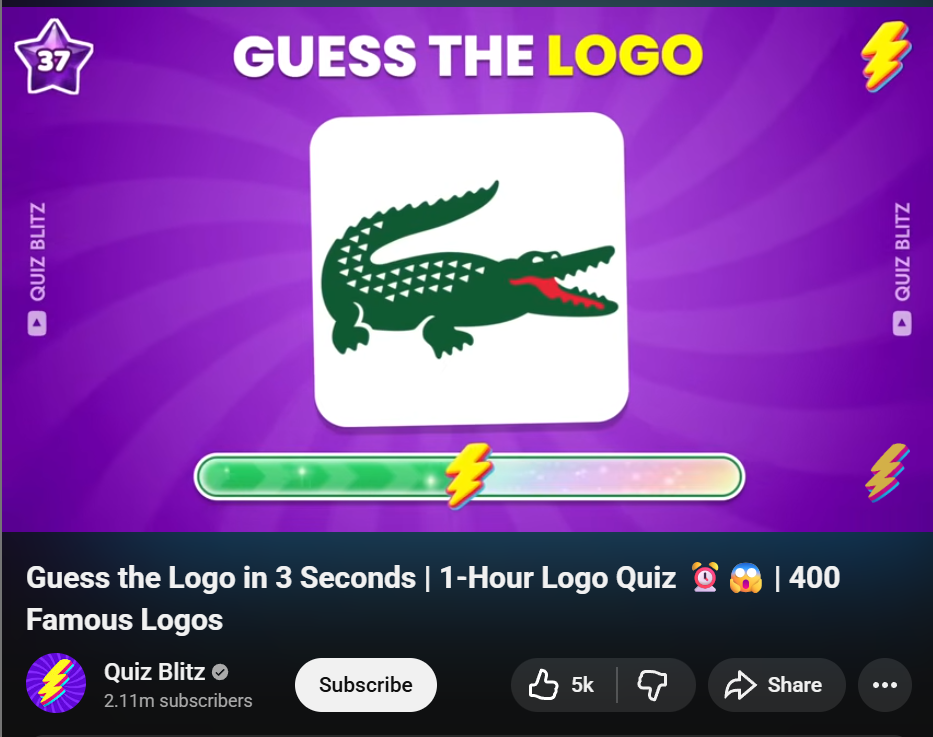
Here's the quick decision framework: match your format to the right audio choice before you publish.
How to match your audio setup to the right platform
Each platform has a different default audio behaviour, and your audio setup should account for it. Here's the breakdown.
How to Add Voiceover Without Slowing the Format Down
Most creators skip voiceover, not because they don't want it, but because adding it properly takes time they don't have.
Trivia by Typito AI builds it into the generation step so you don't have to record, edit, or sync anything manually.
1️⃣Open Trivia by Typito AI and write your prompt
Go to Trivia by Typito AI, enter your topic, and Typito generates a prompt for you. Review it, pick the one that fits your angle, and move to the next step. You can edit the prompt before generating if you want to tweak the framing.
Set the difficulty level and number of questions
Adjust how many questions you want and the difficulty mix — easy, medium, hard, or a combination.
Once you're happy, hit Generate.

Typito AI generates the full video in seconds, including questions, animations, countdown timers, music, and voiceover.
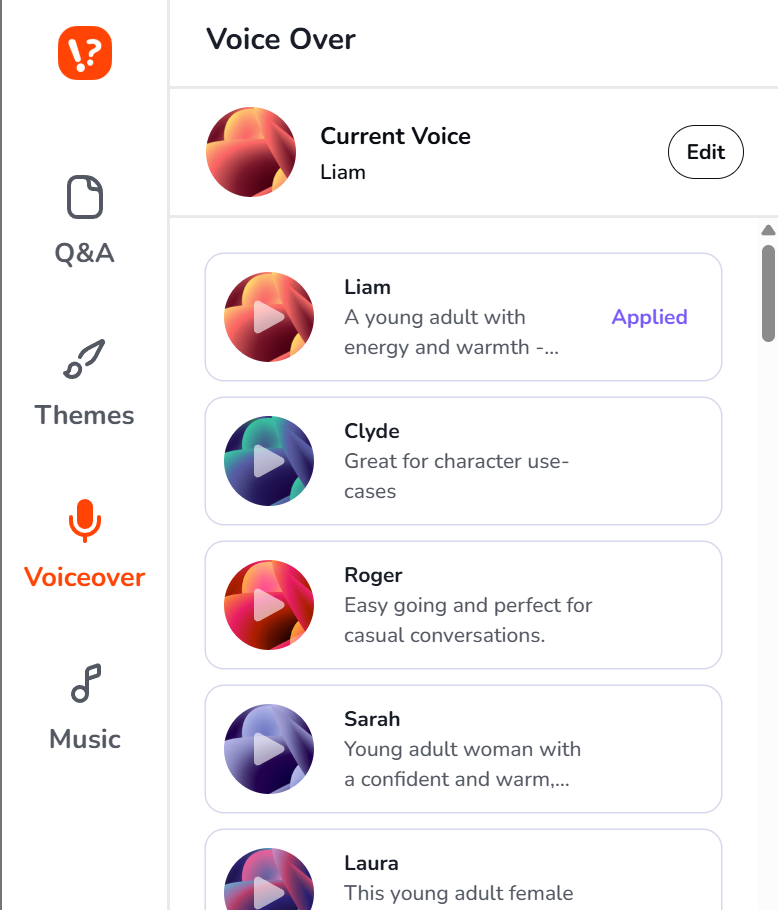
2️⃣Go to the Voiceover section in the left panel
- Once your video is generated, open the left panel and navigate to the Voiceover section.
- You'll see multiple audio style options to choose from: energetic, calm, dramatic, conversational, and more.
- Preview a few before committing. The voice that sounds slightly over-enthusiastic in your headphones is usually the one that performs best on a phone speaker.
3️⃣Hit Edit, then adjust volume and speed
Click Edit on the voiceover to open the fine-tuning panel. Here you can:
- 🔊Volume range: balance the voiceover against background music. Keep the voice clearly above the music level so it doesn't compete.
- ⏩Speed: slow down for a more dramatic reveal, speed up for a fast-paced social format.
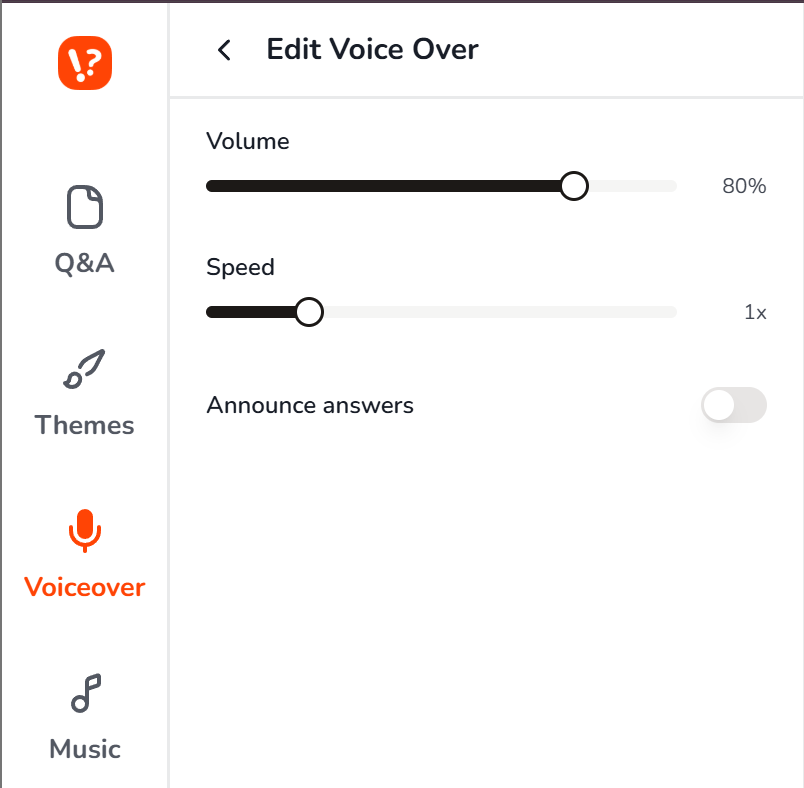
Toggle “Announce Answers”: When this is switched on, the voiceover plays for both the question and the answer reveal. Switch it off, and the voiceover reads only the question, letting the reveal land in silence or under music.
4️⃣Download and do the phone speaker test
Before posting, play the video on your phone with the speaker facing away from you.
If the question is still readable and the reveal still lands, it's ready. If the voiceover is carrying everything and the visuals alone don't hold, go back and strengthen the on-screen text.
90s Hip Hop Trivia made using Trivia by Typito AI
Common Voiceover Mistakes That Hurt Watch Time
❌Voiceover during the thinking window. The countdown is the tension. If a voice is talking while the timer runs, you're breaking the only moment of genuine suspense in the video. Keep the countdown silent or music-only.
❌Reading the answer in the same tone as the question. The reveal needs energy that's different from the setup. Flat delivery throughout removes the emotional shift that makes the format satisfying, and that shift is a big part of why people finish the video or send it to someone.
❌No captions when using voiceover. A lot of viewers won't turn the sound on, especially mid-scroll. Always pair voiceover with visible on-screen text. The audio adds to the experience; the video should hold up without it.
❌Music that overpowers the voice. Background music that sits too loud makes the voiceover hard to follow, and the whole video feels cluttered. Music should sit clearly below the voice level, or duck automatically when the voiceover starts.
❌Same audio setup for every platform. A full narration that works well on a longer YouTube video will feel slow and over-produced in a short-form feed. Match your audio format to where the video lives.
❌ Reveal voiceover that lands too early. Dropping the answer before the viewer has had a moment to guess collapses the format. The reveal voice should arrive after the thinking window closes, not during it, and not before the tension has built.
❌ A voice style that doesn't match the trivia tone. A casual, upbeat voice on a serious history question creates friction. A flat corporate tone on a pop culture quiz kills the energy. The voice should feel like a natural extension of the content, not a generic layer dropped on top.
❌ Using voiceover to patch weak on-screen design. If the question is hard to read, the countdown isn't visible, or the reveal doesn't land visually, adding a voiceover rarely fixes it. Audio works best when the visuals are already doing their job. Fix the design first.
FAQs
Q1. Should you speak the question out loud or only the answer?
Answer: In most short-form formats, skip narrating the question; it's already on screen, and reading it aloud just delays the tension. Save the voiceover for the reveal, where a human voice adds energy that text alone rarely matches.
Q2. How long should the reveal voiceover be?
Answer: Short. One to three sentences at most. Name the answer, add one surprising detail if you have it, then stop. The longer the reveal narration runs, the more it competes with the momentum the countdown just built.
Q3. What kind of trivia formats benefit most from narration?
Answer: Longer formats, hosted YouTube videos, live team events, and classroom rounds benefit most. These formats have breathing room for a presenter's voice. Short-form clips, especially under 30 seconds, rarely need full narration; the format moves too fast for it to add much.
Q4. When is music alone enough?
Answer: When the on-screen design is doing its job clearly. If the question reads well, the countdown is visible, and the reveal lands without confusion, music handles the atmosphere, and captions handle the meaning. Voiceover becomes optional rather than essential.
Q5. How do you test whether a voiceover is helping or distracting?
Answer: Watch the video back on mute first. If it still makes sense, your visuals are solid. Then watch with sound but no captions. If the voiceover feels repetitive or slows the pace, it's probably not adding enough to justify staying in.
If you want to test different audio setups quickly, a trivia video tool can help you experiment with music, countdown timing, captions, and voiceover without building everything from scratch.