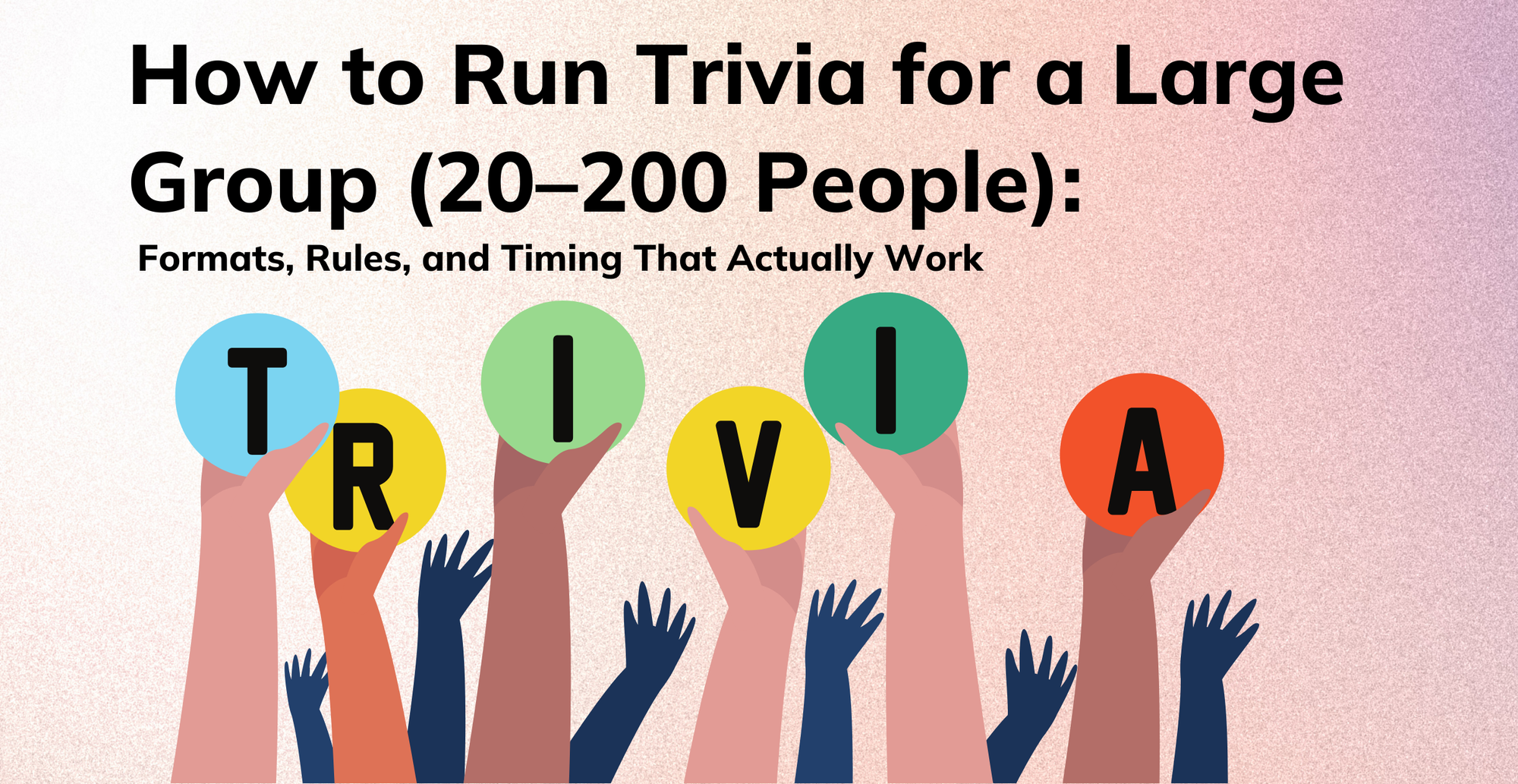
Hosting trivia for five friends in your living room is fun. Hosting trivia for 50 or 200 people is a logistical tightrope.
When you’re staring down a massive crowd, the quality of your questions won’t save you. If people can’t hear you, scoring takes too long, or answer collection turns into a bottleneck, you will lose the room.
This guide covers everything you need to know about how to run trivia for a large group: format selection, team setup, answer collection, scoring, and pacing.
The secret is not just writing great questions. It’s choosing a large group trivia questions format that scales.
How do you run trivia for a large group? (Quick setup checklist)
Large-group trivia works when the format does the heavy lifting. Pick team size, answer collection, and scoring before you write questions.
For 20–200 people, use a structure that prevents bottlenecks: teams capped at 4–6, timed rounds, and digital collection (forms or live polling) to speed scoring and keep energy up.
Quick setup checklist:
- Teams: 4–6 people per team, with assigned numbers and a designated captain
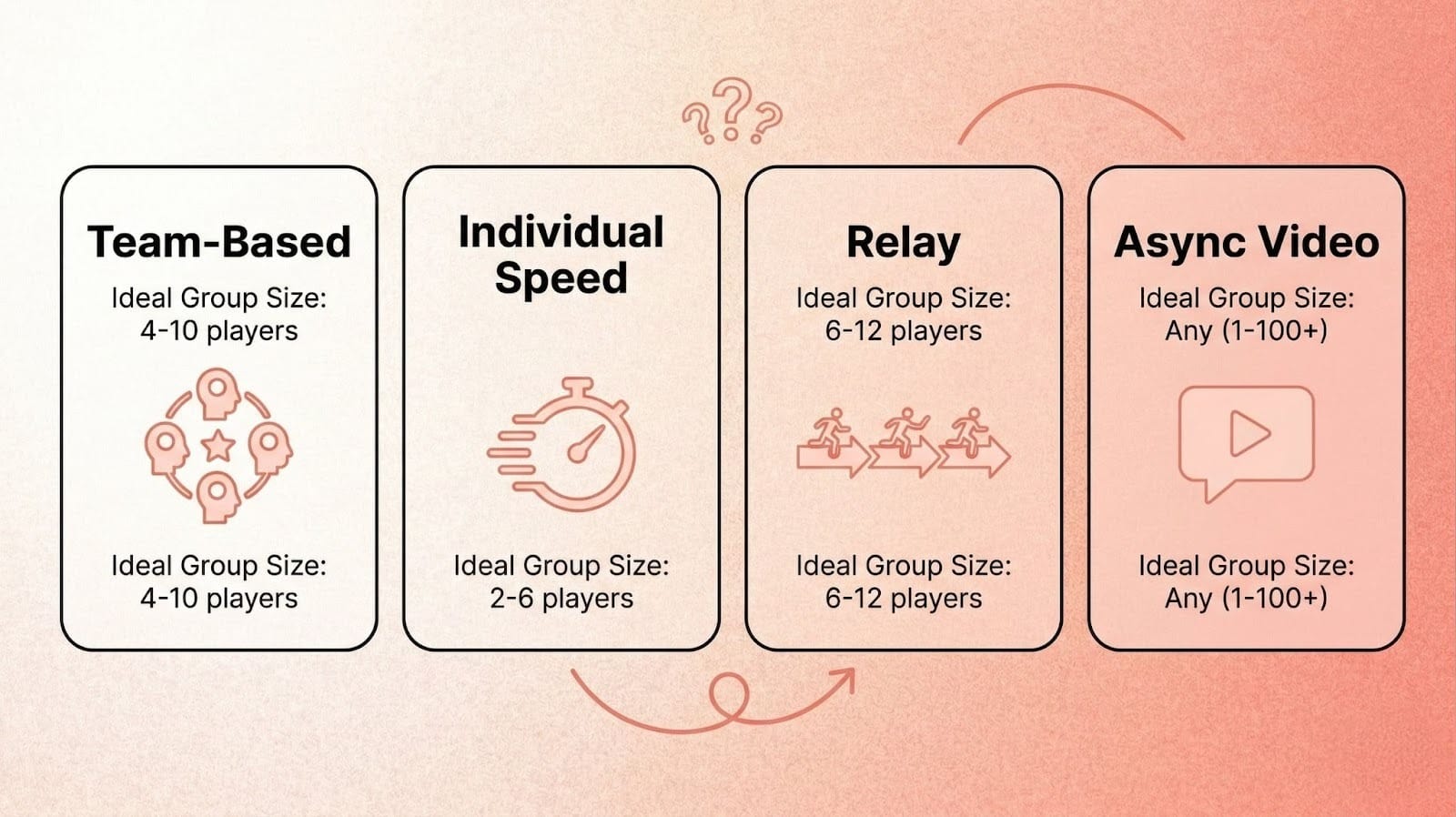
- Format: choose team-based, individual speed, relay, or async video
- Answer collection: digital forms, live polling, or paper with runners
- Scoring: announce your trivia scoring system before Round 1
- Timing: 5–10 questions per round, 60–90 minutes total
At a glance: 10 strategies to run large group trivia
Jump to a section:
- Why large group trivia fails: noise, pacing, and answer collection
- Best trivia formats for 100 people (and what to avoid)
- Team setup for large group trivia: best team size, roles, and rules
- How to collect answers for trivia night (without chaos)
- How long should trivia night last? Templates for round structure, pacing, and question count
- Trivia scoring systems for large groups (simple, tiered, speed bonus)
- How to prevent cheating in trivia (without being the fun police)
- How to run virtual trivia on Zoom for 50–200 people
- Async video trivia rounds: a scalable format for time zones and social
- Bonus Section: Common trivia problems when hosting large groups & quick fixes
Why large group trivia fails: noise, pacing, and answer collection
Noise and energy are features of a great trivia night for large groups, not bugs. But without a strict system, that energy quickly devolves into chaos.
Before you start looking for group trivia ideas or writing questions, you need to make three critical decisions that shape everything that follows:
- Teams vs individuals: Will people play in teams or as individuals?
- Live vs hybrid vs async: Is this happening live, in a hybrid format, or asynchronously?
- Answer collection method: Most importantly, how will you collect their answers?
Tactical Takeaway: Don’t start writing questions until you’ve picked your format and answer collection method.
Once you understand where things go wrong, the fix starts with picking the right format.
Best trivia formats for 100 people (and what to avoid)
The easiest way to host a trivia night is to select a structure built for your specific crowd size. Here is your format menu for trivia for 100 people or anywhere between 20 and 200.
1. Team-Based Trivia (Classic Pub Quiz Style)
The classic team trivia format is built for high-energy, in-person social events. Teams huddle, write down their answers, and submit them as a group.
It works well for 20 to 200 people. You can collect answers via paper sheets or shared digital forms per team.
Best for: loud rooms and high social energy where collaboration is part of the fun.
Tactical Takeaway: Cap teams at 6 people. Larger teams inevitably create free riders who stop participating.
2. Individual Speed Trivia (Everyone Plays Alone)
If you have a highly competitive audience, let everyone play solo. Every person answers on their own device, and the fastest correct answer wins.
This works beautifully for trivia games for 50 people or groups of 20 to 100, especially in virtual or hybrid settings using live polling tools.
Best for: competitive audiences and virtual or hybrid settings where individual performance drives engagement.
Tactical Takeaway: Use fast timers (10 to 15 seconds per question) to keep the momentum high and prevent mid-game Googling.
3. Relay Trivia (Sequential Format)
Ideal for groups of 20 to 50 people, with teams of 3 to 5 players. Instead of running through a list of 10 questions at once, you reveal questions one at a time.
Teams discuss and immediately submit their answers after each question via a designated runner or a digital link. It builds massive suspense.
Note: this format requires a confident host because pacing is everything. If the momentum drops between questions, the energy goes with it.
Best for: groups of 20–50 that want maximum suspense without large-scale scoring complexity.
Tactical Takeaway: This format is perfect when you lack the scoring manpower to collect and grade 50 separate answer sheets at once.
4. Async Video Trivia (Time-Shifted Format)
When your audience is spread across different time zones or platforms, live trivia breaks down. Instead, pre-record your questions as timed video rounds.
Participants play on their own schedule, submitting answers via comments, team portals, or follow-up forms.
For this format to work cleanly, define your submission windows upfront and make clear where answers should go before you publish.
Best for: distributed teams across time zones or when you want trivia content you can reuse across future events.
Tactical Takeaway: Works especially well when your audience is across time zones or when you want content you can reuse later.
Team setup for large group trivia: best team size, roles, and rules
The start of your event sets the tone. Leaving 100 people to form their own teams on the spot wastes time and leaves introverts out.
The optimal trivia team size is 4 to 6 people. Teams larger than 8 tend to split into side conversations, which makes it harder for everyone to stay engaged.
You can assign people randomly for speed, let them self-select for maximum socialization, or skill-balance them to keep the game fair.
When organizing teams, follow these two steps:
- Assign team numbers (1–20). Team naming and numbering reduces chaos during answer collection and scoring.
- Pick a captain and runner per team: the captain consolidates answers and the runner submits them.
If you’re planning a corporate team building trivia event, assigning teams before the event also ensures a balanced mix of departments and seniority levels.
Giving each team a name and number from the start reduces chaos during answer collection, especially once you’re running team trivia rules across 15 or more tables.
Tactical Takeaway: Assign teams before the event starts to avoid 10 minutes of chaos at the beginning.
Once your teams are set, the next critical decision is how you’ll collect their answers. This single choice shapes your entire event flow.
How to collect answers for trivia night (without chaos)
Answer collection is the ultimate bottleneck. Solve this first, or your entire event breaks down.
Knowing how to collect answers for trivia night is just as important as writing the questions.
Option 1: Paper Sheets (Low-Tech, High-Energy)
Each team gets a numbered answer sheet, writes their answers, and hands it in after each round. It’s highly social and requires zero tech.
The downside: it’s slow to score and bad handwriting will hold you up.
Tactical Takeaway: Number the sheets in advance and force each team to designate one answer runner to speed up collection.
Option 2: Shared Digital Forms
Teams or individuals submit their answers via a link (like Google Forms or Typeform). Scoring is incredibly fast, timestamped, and perfectly legible.
For best results, keep it one question per page, or use a “lock after submit” add-on to prevent teams from going back and changing answers.
Tactical Takeaway: Create one specific form link per round, rather than one giant form. This ensures teams can’t skip ahead.
Option 3: Live Polling Tools
Everyone answers on their own phone in real-time. The instant scoring and live leaderboards create an incredibly high-engagement environment.
Tactical Takeaway: Test your venue’s Wi-Fi capacity before the event. 100 devices streaming at once can quickly crash weak networks.
Option 4: Video Comments and Polls
For async trivia, post the trivia as a video and collect answers directly in the comments or through integrated polls. It scales extremely well.
At large volumes, plan to moderate comments. They can get messy without some oversight.
Tactical Takeaway: Use timed reveals directly inside the video (Question, 10-second visual timer, then Answer) to create urgency even when the host isn’t live.
For hybrid events, use digital forms so in-room and remote players submit the same way. This prevents the answer collection from splitting into two separate workflows.
With your answer collection method locked in, it’s time to think about how to structure your rounds for maximum pacing and energy.
How long should trivia night last? Templates for round structure, pacing, and question count
Pacing beats perfection. Fast rounds with clear reveals are always better than slow, overly precise moderation.
Aim for 5 to 10 questions per round. Never read 30 questions in one massive block; your audience will check out. Allow 30 to 60 seconds between rounds for scoring.
If you want a tight 60-minute game, plan around 20–30 questions total. More than that usually turns into rushed reveals or delayed scoring.
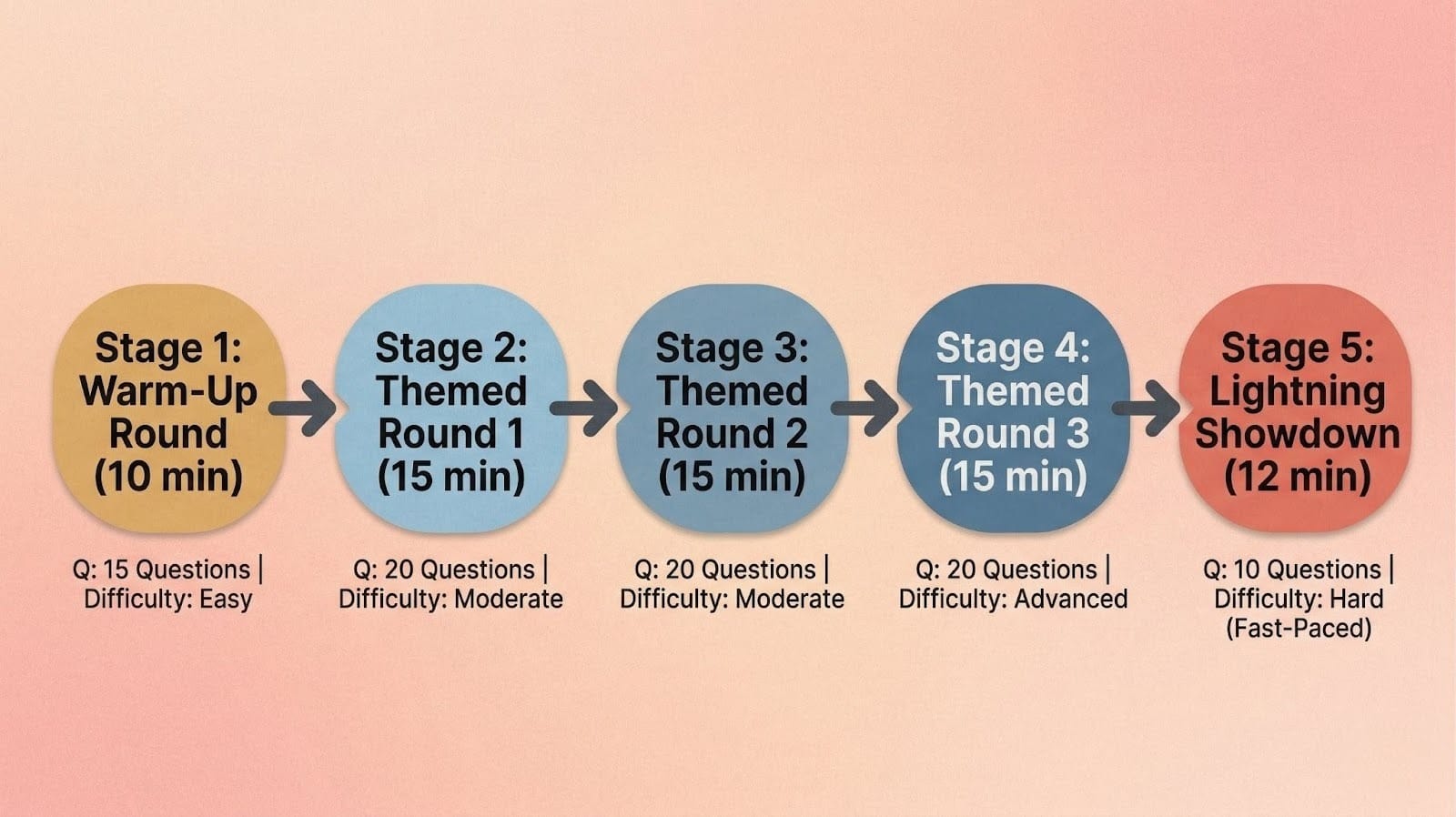
Structure a 60-minute event like this:
- Round 1: Warm-up (5 easy questions, 10 minutes)
- Rounds 2 to 4: Themed topics (8 to 10 medium questions each, 15 minutes per round)
- Round 5: Lightning showdown (10 fast, hard questions, 12 minutes)
Tactical Takeaway: Plan for 2 to 3 minutes per question when factoring in reading, team discussion, answering, and the dramatic reveals.
Trivia scoring systems for large groups (simple, tiered, speed bonus)
Trivia night rules and scoring systems need to be invisible to the players but highly efficient for the host. Keep it simple.
- Simple Points: 1 point per question. Use this when you want maximum speed and zero drama.
- Tiered Points: Easy = 1, Medium = 2, Hard = 3. Use this when mixing skill levels to keep things competitive.
- Speed Bonus: First 3 correct answers get extra points. This works best with live polling, though it can work with runners too, just harder to manage.
Tactical Takeaway: Announce your trivia scoring system and team trivia rules before Round 1 begins. Changing rules mid-game instantly kills player trust.
A transparent scoring system also helps with fairness. You’ll still need ground rules to keep things honest.
How to prevent cheating in trivia (without being the fun police)
When you run group trivia for large crowds, someone will inevitably try to look up an answer. Decide on your phone rules upfront.
Are you doing a strict phones-away-in-the-center-of-the-table rule, or relying on the honor system? If you use paper sheets, physically spread the tables apart so teams can’t eavesdrop.
If you are using digital formats, set strict submission deadlines so slower teams can’t copy faster ones. Always show the correct answers right after a round ends to maintain scoring transparency.
Fast timers also make secretly searching for answers harder. For async events, you can publish multiple question-order variants so different teams see questions in different sequences.
Tactical Takeaway: Accept that some minor cheating will happen in a large group. Optimize your event for fun, not courtroom-level fairness.
These rules apply whether your audience is in one room or spread across a dozen screens.
How to run virtual trivia on Zoom for 50–200 people
Taking a pub quiz format online requires strict moderation to prevent dead air.
For virtual-only groups, lean heavily on Zoom combined with live polling tools. Keep your rounds short, no more than 5 questions at a time, to prevent screen fatigue.
For hybrid events (some in-person, some remote), assign virtual participants to physical in-person teams via a direct video call on a laptop placed at the team’s table.
If you go this route, mute the laptop mic and speakers and use headphones or a single audio source to avoid echo and feedback issues.
Tactical Takeaway: Always assign a secondary person to monitor the chat and handle technical issues so the main host can focus entirely on running the game.
If synchronous virtual trivia still feels too logistically heavy, async video rounds are worth considering.
Async video trivia rounds: a scalable format for time zones and social
Live trivia is great when everyone’s in the same room at the same time. Video rounds are better when you need trivia that people can play on their own schedule, or when you want content you can reuse.
A simple video round format is: Question → 10-second timer → Answer reveal → next question.
You can publish it as a Reel/Short, drop it in Slack, or reuse it for future events. Collect answers via comments or a short form.
If you are looking for video trivia post ideas for social media, transforming your questions into video rounds is a practical way to extend your content reach. Creators reuse these formats with quiz video templates to scale their content faster across Instagram, LinkedIn, and Slack.
If you want to create timed video rounds without editing, a video-first tool like Trivia by Typito AI can generate the rounds for you from a topic prompt.
Tactical Takeaway: One recorded trivia video can be reused across time zones, social platforms, and multiple future events. Live trivia can’t.
Even with the right format and tools, live events will hit snags. Here’s how to handle the most common ones.
Bonus Section: Common trivia problems when hosting large groups & quick fixes
Even the best corporate trivia events hit snags. Anticipate these friction points before they happen.
It’s taking forever to collect answer sheets: Enforce a strict countdown for the designated team runners. Have a backup Google Form ready to go and share the link via QR code for quick access. Switching fully to digital mid-game is possible, but works best when the form is already prepared.
It’s too loud and people can’t hear the questions: Don’t fight the energy. Use a microphone, or lean into the noise and project your voice.
Scoring is slowing everything down: Score the previous round while teams are actively playing the next one. Or recruit a dedicated scoring assistant.
Some teams are way behind and losing interest: Throw in bonus comeback questions worth double points in the final rounds.
Tactical Takeaway: Build a 5-minute buffer between your trivia rounds to handle unexpected delays, bathroom breaks, or disputed answers.
FAQs About Running Trivia for Large Groups
Q1: What’s the best team size for large group trivia?
Answer: The optimal team size is 4 to 6 people. This ensures everyone gets a chance to contribute. Teams larger than 8 tend to splinter into side conversations, leaving some members disengaged. Smaller teams of 2 to 3 also struggle, since fewer people means fewer perspectives and slower question coverage.
Q2: How long should large group trivia last?
Answer: A well-paced trivia event should last between 60 to 90 minutes. This gives you time for 4 to 5 distinct rounds, plus breaks for answer collection, scoring, and a bit of socializing. Anything over 90 minutes tends to lose the room.
Q3: How do I keep large group trivia fair?
Answer: Establish clear trivia night rules before the game begins. Ask teams to place phones face-down in the center of the table and space tables apart to prevent eavesdropping. If you’re using digital formats, set strict submission deadlines and use fast timers to make searching for answers harder.
Q4: Can I run trivia for 100+ people without chaos?
Answer: Yes, by letting the format do the heavy lifting. Avoid paper if you don’t have enough staff to score quickly. In that case, use shared digital forms or live polling software instead. Assign teams before the event starts so you don’t waste time organizing people at the venue.
Q5: What’s the fastest way to score large group trivia?
Answer: The fastest method is automated digital polling, where participants answer on their phones and the system scores instantly. If you prefer manual scoring, use a simple 1-point-per-question trivia scoring system and score the previous round while teams are actively playing the next one.
Q6: What are good group trivia ideas for mixed audiences?
Answer: Mix themed rounds (pop culture, history, science) with visual or speed rounds to keep all ages engaged. For mixed audiences, family trivia questions and inclusive general knowledge categories work well. You can also explore trivia tools that generate pre-built question sets tailored to different group types.