You've sat through a Friday all-hands where someone shared a Google Form and called it "interactive." Nobody filled it out. Nobody cared.
The format wasn't wrong; the delivery was. Multiple choice quizzes are still one of the best ways to get people thinking, guessing, and actually participating. The difference in 2026 is how you build and deliver them.
If you've been searching for how to create MCQ questions online or how to make a multiple choice test online free, without wrestling with clunky form tools or spending hours on video editing, this guide is the shortcut you need.
In this guide, we’ll go over:
- Why the Multiple Choice Format Still Rules in 2026
- Turning Your Questions Into a Short-Form Quiz Video
- How to Create MCQ/Multiple Choice Quiz Questions Online
- What to Focus On & What to Check Before Publishing Your Multiple Choice Trivia
- Writing Multiple Choice Questions That Hold Attention
- Mistakes to avoid in your Multiple Choice Quiz
- How to Generate Multiple Choice Questions (If you just need questions & answers only)
Why the Multiple Choice Quiz Format Still Rules in 2026
Short-form platforms reward content that gets people to stop and interact. Multiple choice quizzes are one of the easiest ways to do that, because the format does most of the work for you.
Your viewer sees a question, sees options, and already knows what to do. No tutorial needed. That instant clarity is exactly what keeps someone from swiping past. Layer in a countdown timer and you've created a "pause and guess" moment, the kind of micro-interaction that platforms like Instagram and YouTube actively push to more people.
And practically speaking? One good quiz question design can live as a Reel, a Stories poll, a carousel slide, and a newsletter CTA, all at once.
Turning Your Questions Into a Short-Form Quiz Video
You can build a traditional form-based quiz using tools like Google Forms. That works well for assessments or surveys.
But if your goal is to publish your quiz as short-form content on Reels, Shorts, or embedded in a blog, you’ll need a workflow that supports video formatting and pacing.
Instead of manually designing slides or editing video clips, Trivia by Typito generates a complete quiz video from a single text prompt. You describe your topic, set a difficulty and question count, and it handles everything else: the questions, the answer options, the timer, the animations, the voiceover, and the music.
The core idea stays the same: clear questions, balanced answer choices, and smooth pacing. The difference is in how it’s delivered.
How to Create MCQ/Multiple Choice Quiz Questions Online (in 5 easy steps)
Step 1: Head over to Trivia by Typito
Create a free account or log in from the top right corner.
Step 2: Pick Your Starting Point
You'll see two options in the project section. Choose based on how much control you want upfront.
A. Pick a Recipe - best if you want to move fast
- Go to Projects
- Click ‘Pick a recipe’ Tile
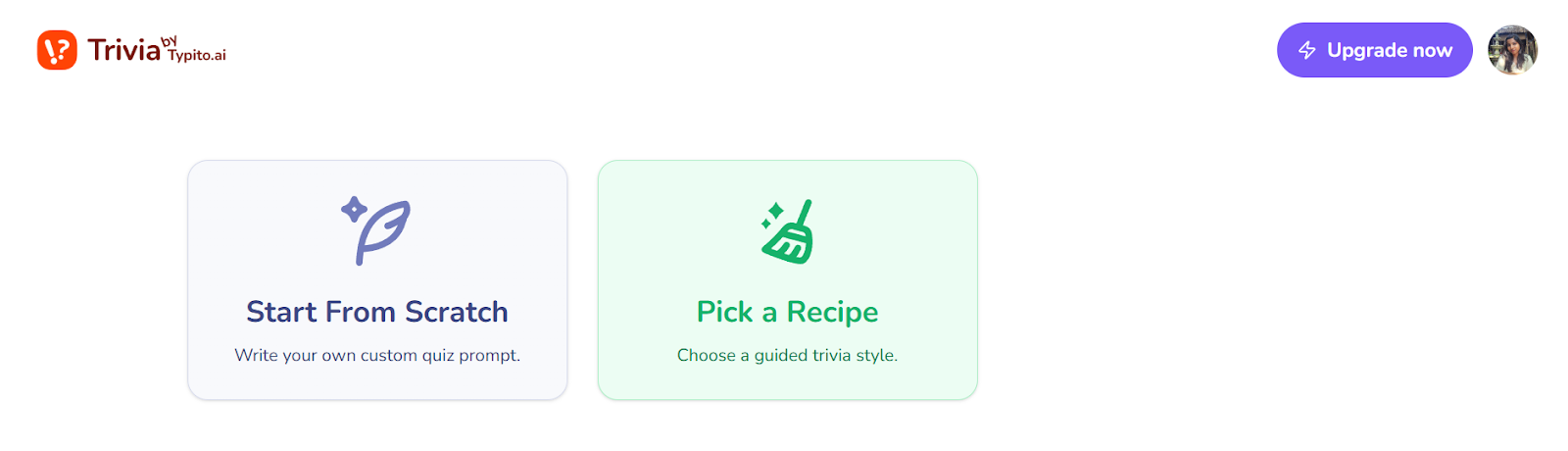
- Choose among the ready-made formats like "Guess Who Said It?", “ Decode the emojis”, or "True or False", etc
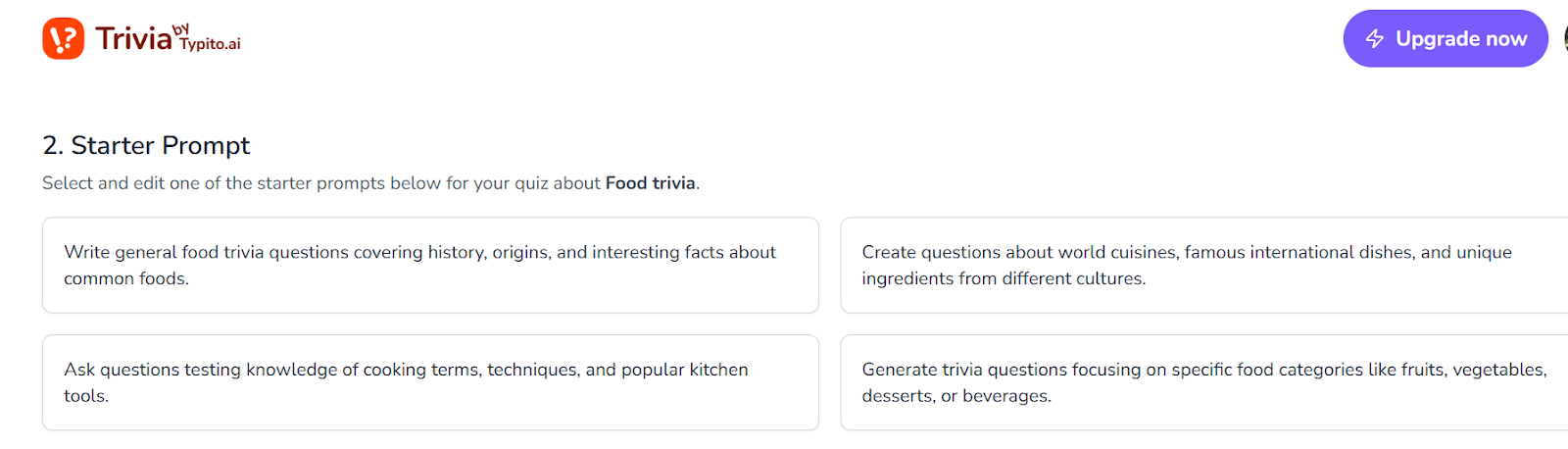
- Pick one and enter the topic of the quiz you want to create, and click the generate prompt.
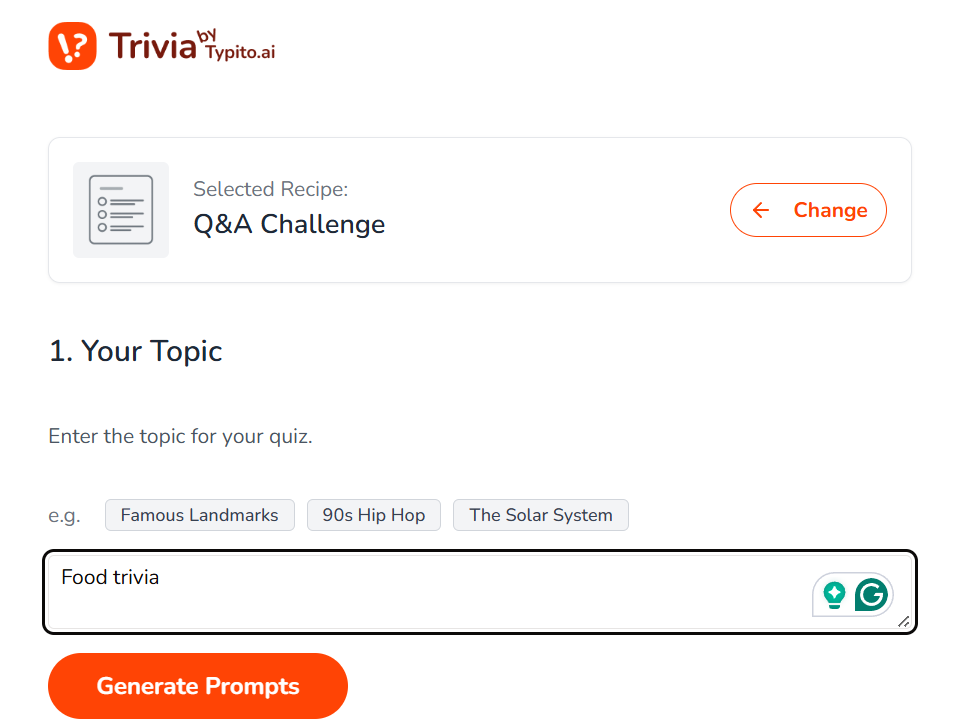
- Review and select the generated prompt
- Set your number of questions, difficulty level, and language, and click Generate Trivia.
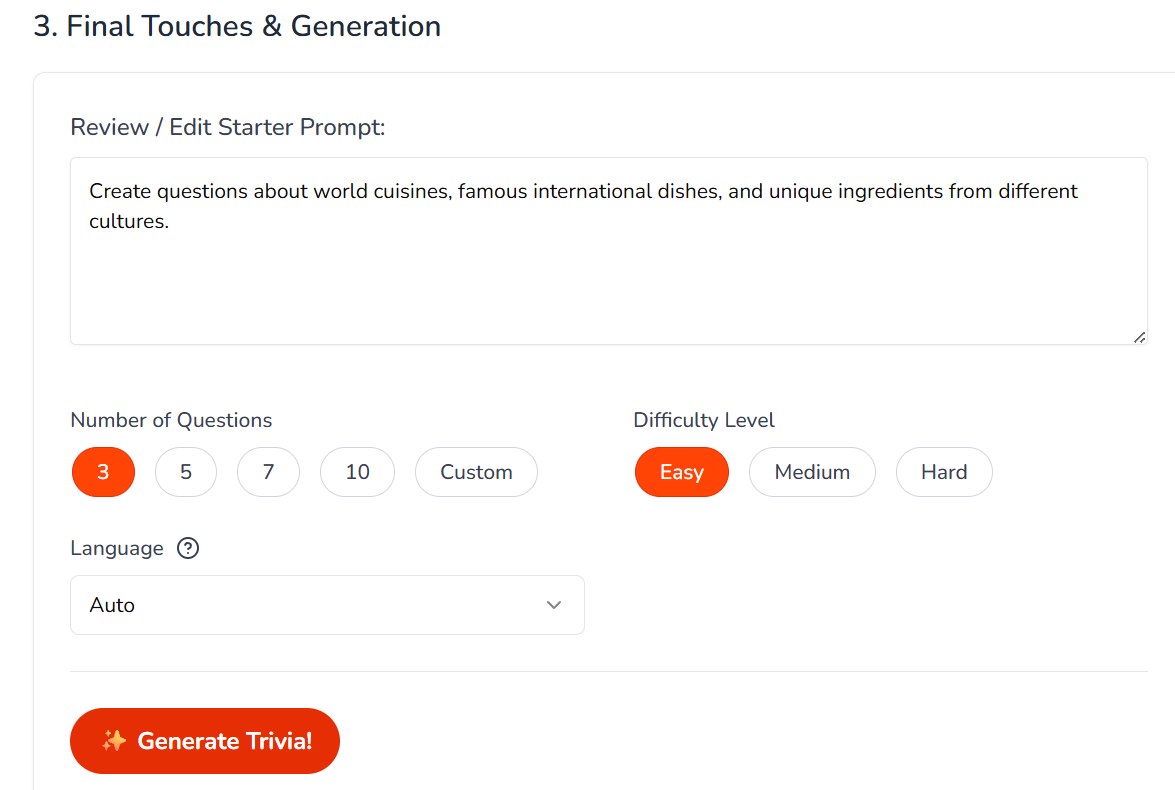
Here's what your quiz will look like:
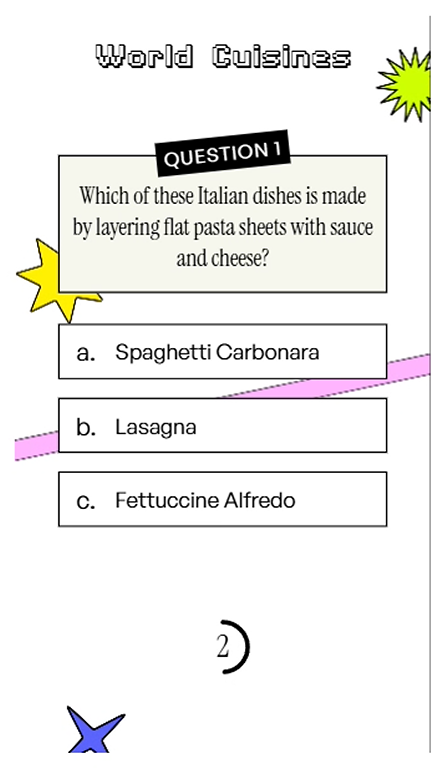
If you already have a set of questions that you would like to create a quiz from, you can always “Start from Scratch.” This allows you to use the Multiple Choice Questions Quiz template and enter your own questions.
- Write your own prompt. Be specific; it pays off. Here's an example to create multiple-choice questions:
“Create questions focusing on famous fashion designers, luxury brands, and their signature styles.”
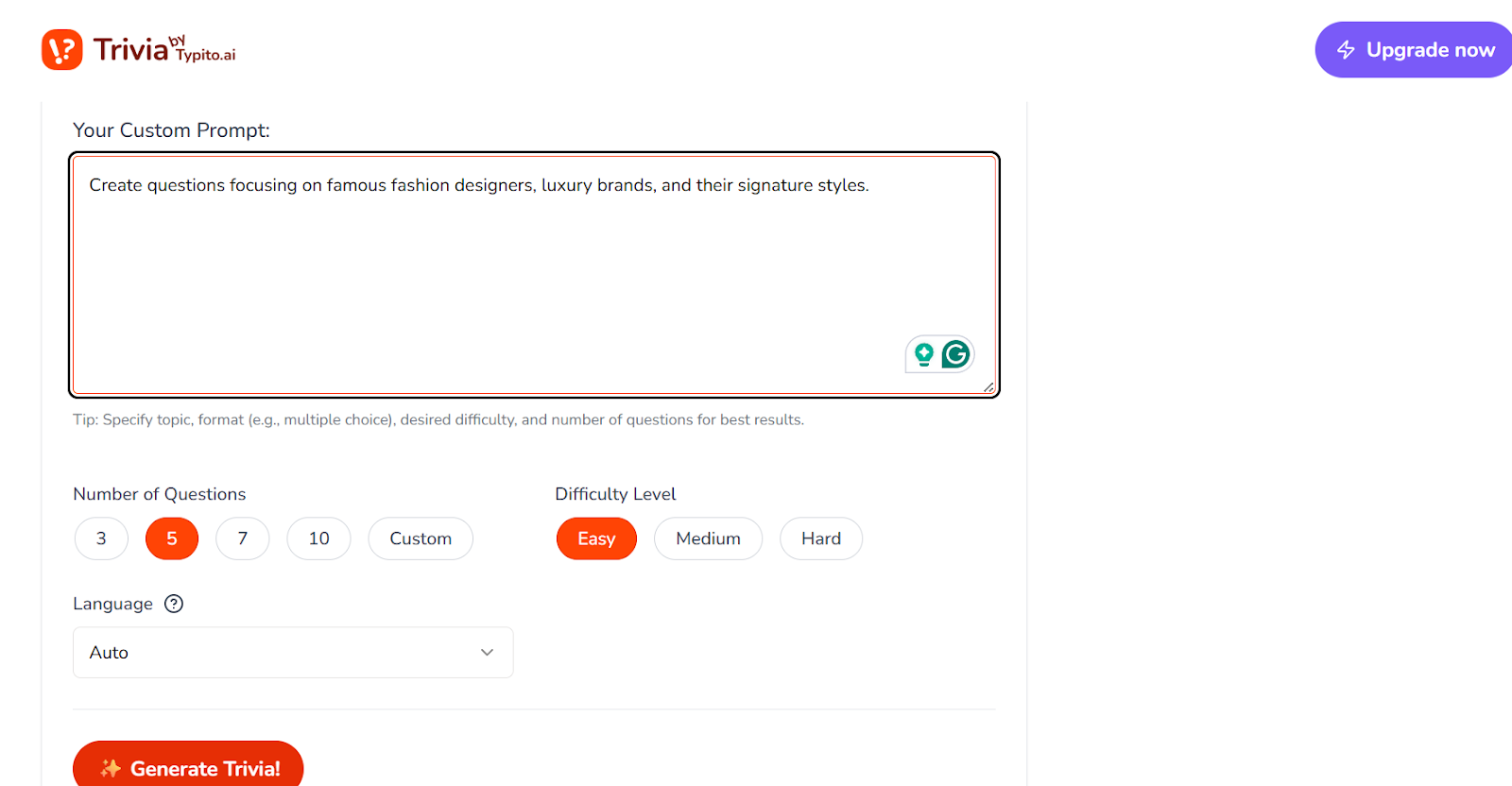
Step 3: See What Got Built
Typito renders a complete video quiz. Here's what's already in it before you touch anything:
- All your questions, written and formatted on screen
- Multiple choice options laid out per question
- A countdown timer running on each slide
- Animated transitions between questions
- Background music
- An AI voiceover reads each question aloud
At this point, a lot of creators are already close to done.
Step 4: Make It Yours
Open the left panel to edit. This is where you dial in the details:
- Questions: Click any text to rewrite it. Keep the AI version or replace it entirely.
- Answer options: edit any of the multiple-choice answers; the correct one is already flagged.
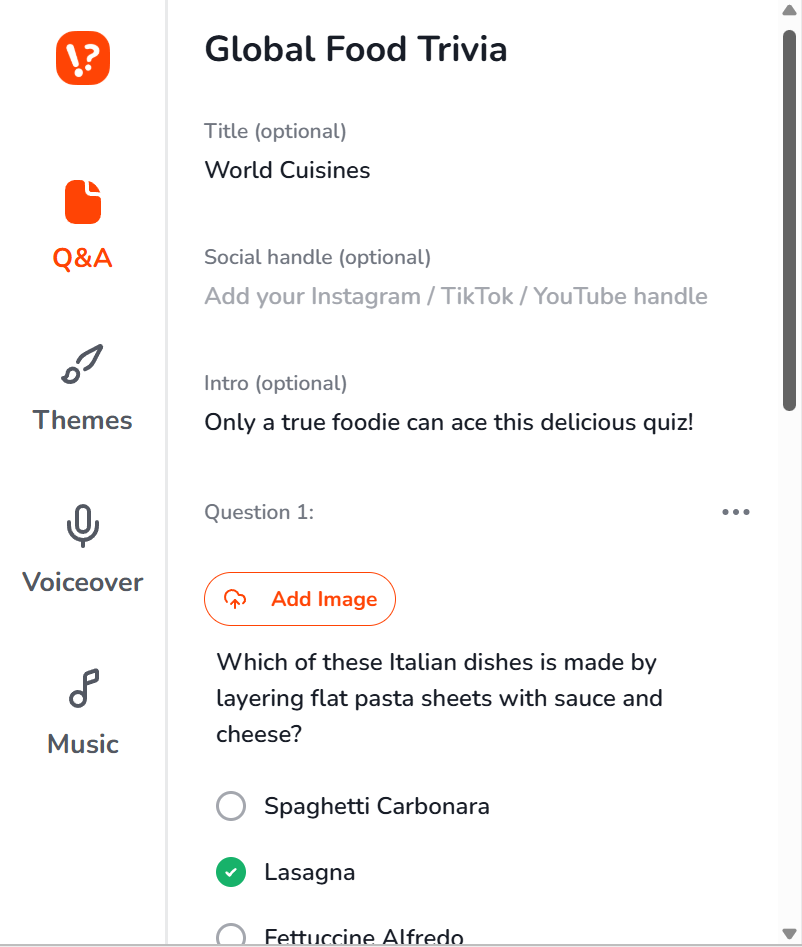
- Voice: Choose a different voice-over if the default doesn't fit your content style.
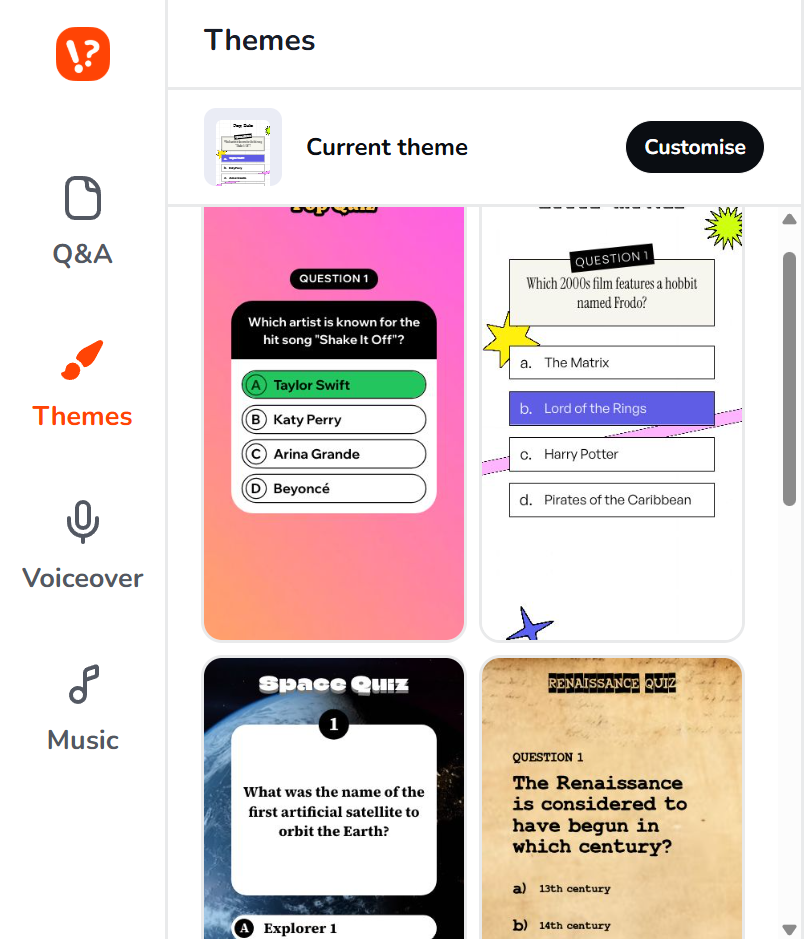
- Theme: Swap the visual style to match your brand, your niche, or the mood you're going for.
- Music: You can choose or upload the music according to your aesthetics.
The correct answer reveals automatically when the timer hits zero, no scoring setup required on your end.
Cuisine Trivia Video generated by Typito AI
Step 5: Watch It Before You Post
Hit Preview and watch the full thing the way your audience will. You're looking for:
- Does each question give enough time to actually read and think?
- Are the answer options easy to read on a phone screen?
- Does the voiceover feel natural, or does it need a swap?
- Does the pacing feel quick without feeling rushed?
This step takes two minutes and saves you from posting something that feels off.
Step 6: Download and Publish
Click Download.
You get a vertical MP4, upload it directly to wherever your audience lives:
- Instagram Reels: post as a video
- YouTube Shorts: upload via YouTube Studio
- TikTok: drag and drop in-app
- LinkedIn: post as a native video
Team all-hands or virtual events, share your screen, done
No extra tools. No export settings to figure out.
A Real Build Checklist: What to Focus On & What to Check Before Publishing Your Multiple Choice Trivia
Here’s what building a short multiple-choice quiz looks like from start to finish.
Writing Multiple Choice Questions That Hold Attention
Typito writes your questions, but knowing what makes a good one helps you edit faster and get better results from your prompts.
- One idea per question: If you need a comma to connect two facts, split it into two questions.
- Wrong answers should feel plausible, not ridiculous: If viewers never hesitate, the quiz isn't interesting.
- Keep all options roughly the same length: People instinctively pick the longest answer when they're unsure.
- Start easy, then push harder: Your first question is a warm-up; use it to build confidence before the tricky ones.
- Scenarios beat trivia dumps: "A customer complains about slow load times. What do you check first?" lands better than "What is server response time?"
Mistakes To Avoid in Multiple-Choice Quizzes
❌ Too many questions - 5 to 10 is the sweet spot for short-form. Drop-off often increases in short-form formats.
❌ Vague question wording - If you have to read it twice, so will your audience. Rewrite it
❌ Distractors that are obviously wrong - "1994 vs. 200 BC" isn't a challenge; it's a free point
❌ Skipping the preview - Pacing issues only show up when you watch it the way viewers will
❌ Inconsistent visuals - Clashing colors or hard-to-read fonts undercut even great content
How to Generate Multiple Choice Questions (If you just need questions & answers only)
If drafting multiple-choice questions (mcq) from scratch slows you down, we built a simple quiz generator to help. It creates structured multiple-choice questions you can refine, export, and reuse across your own tools and workflows.
You can export these multiple-choice questions as a CSV file and then upload them into Google Forms, LMS platforms, slide decks, or edit them in bulk using a spreadsheet.
It’s free to use and works well as a starting point for lesson prep or revision materials.
Now It's Your Turn
Creators are already turning their niche topics, like science, fashion, film, and food, into quiz videos that their audiences actually finish.
Yours can be next.
If you want to experiment with turning your questions into short-form videos, tools built for video workflows can make the process faster and more scalable.
People Also Ask
Q1. How do I use AI to create a quiz?
Answer: You add your topic and key points, and Typito AI helps you turn them into structured multiple-choice questions that are ready to drop into short, video-first trivia clips.
Q2. What is the pattern of MCQ questions?
Answer: Each MCQ has a clear question plus a few option choices, one correct answer, and plausible distractors.
Q3. Can I generate and publish in languages other than English?
Answer: Yes. Typito quiz generator supports 10 languages, including Spanish, Hindi, French, Filipino, Polish, Dutch, Ukrainian, and Hungarian. Set your language before hitting Generate.
Q4. How many answer choices should a multiple-choice question have?
Answer: Three options are optimal, one correct answer plus two plausible distractors, for better discrimination without overwhelming test-takers